
Step 1
Perform the work
Complete the Scheduled Task, electronic form, Activity, and supporting documentation.
Compliance & documentation
REQQER supports compliance workflows by keeping recurring work, electronic forms, corrective action, supporting documents, running logs, and management review connected to the same operational history.
REQQER supports compliance documentation and review workflows; it does not replace the organization’s regulatory responsibility.
Documentation that follows the work
Scheduled Tasks and forms create the underlying operational record. REQQER then reorganizes that information for different review needs instead of requiring staff to reconstruct it manually.
Complete the Scheduled Task, electronic form, Activity, and supporting documentation.
Keep deficiencies visible as separate linked Reqs when follow-up is required.
Use Task Logs and Log Books to reshape daily records for ongoing or survey review.
Use Compliance Review and broader reports to identify unresolved or insufficiently documented work.
Task Logs
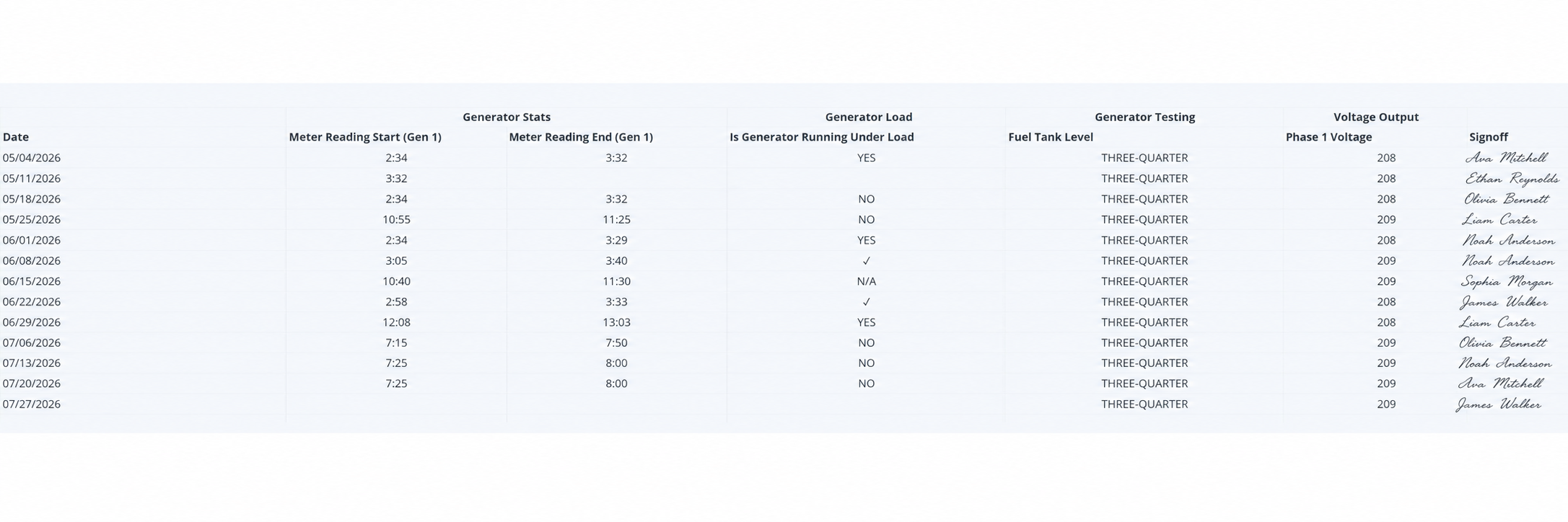
Task Logs arrange selected electronic-form responses into a date-based matrix that resembles the running logs facilities traditionally maintain on paper.
A checkmark can indicate a form row was acknowledged without a separate response value; a completely blank cell can indicate the row was not completed.
Log Books
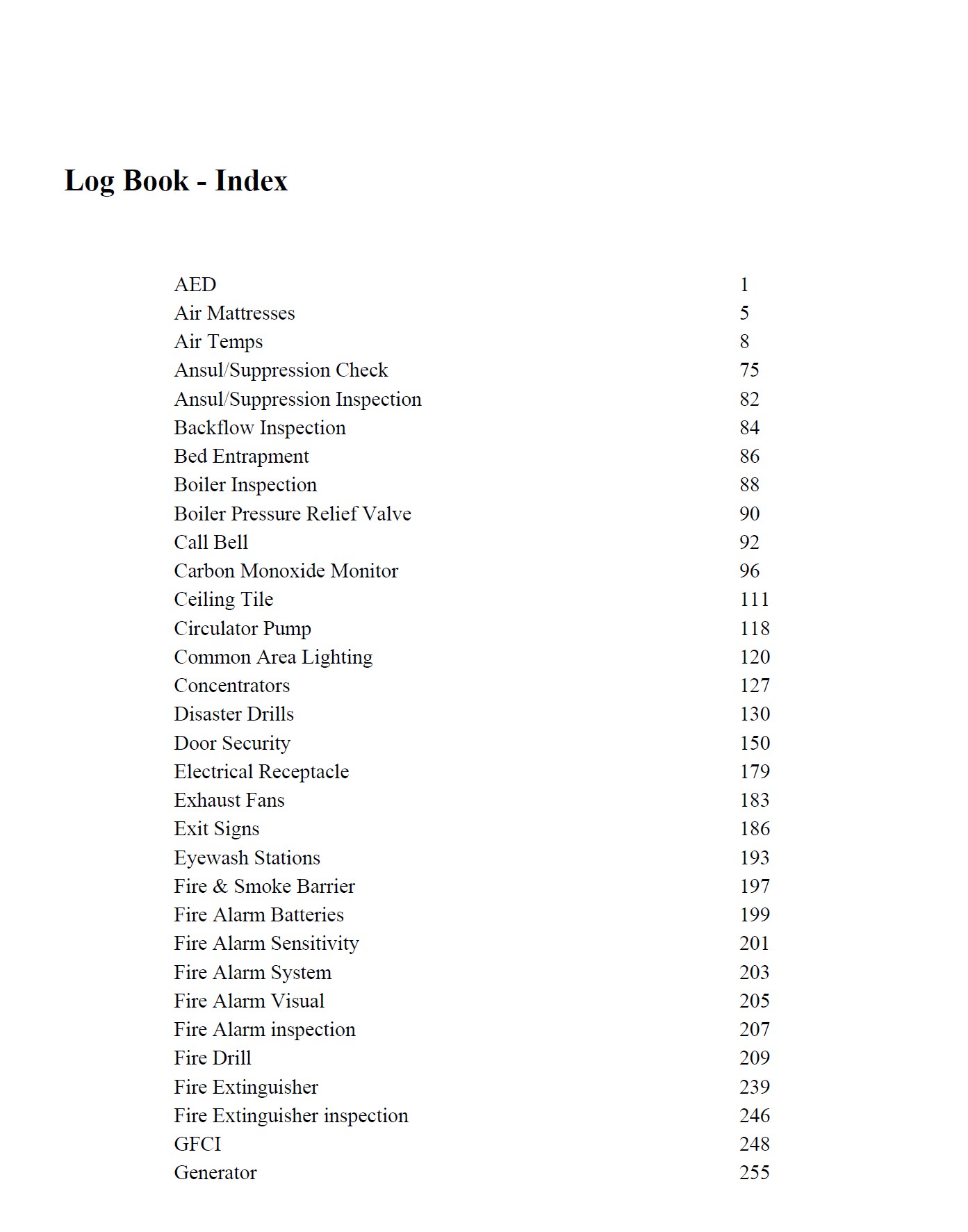
For selected active Scheduler definitions marked for Log Book, REQQER can produce an indexed evidence package for a chosen Due Date range.

The package is grouped into Item sections with a generated cover page and starting page shown in the Index.
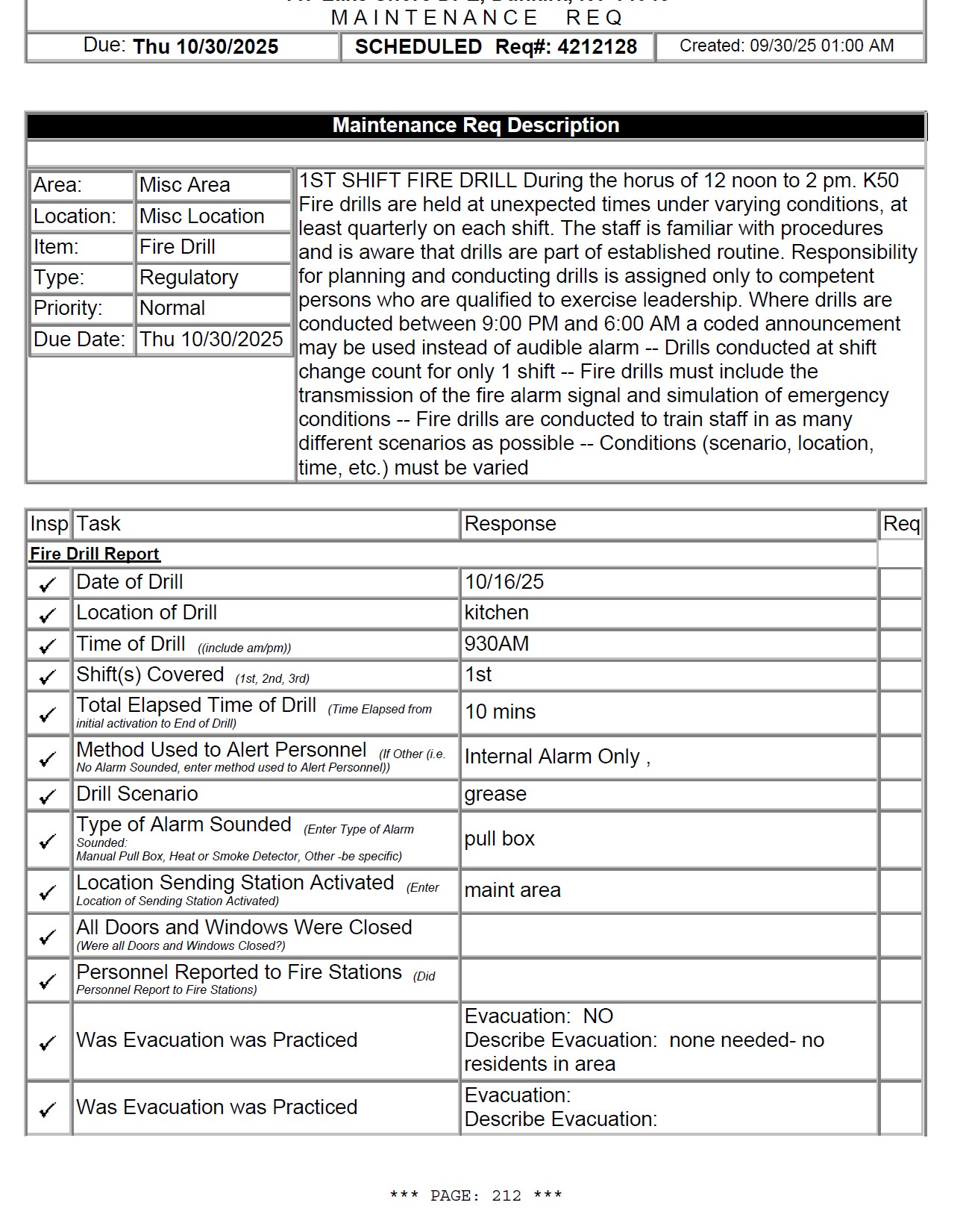
The printer-ready Req remains part of the evidence package even when vendor or other supporting documents are attached.
Associated electronic forms can be included alongside the work record they document.
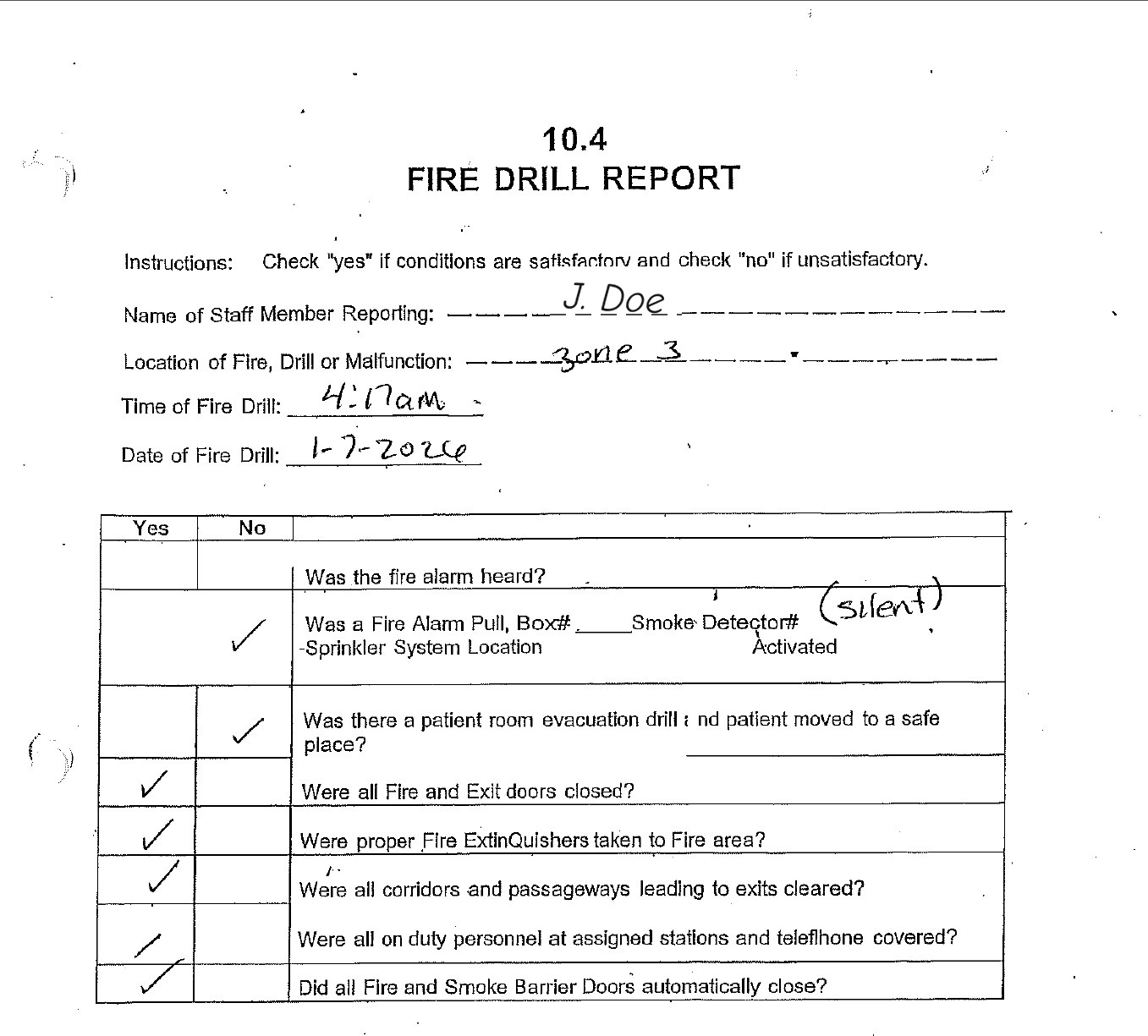
Scanned reports and other PDF support documents can be incorporated into the main package.
REQQER assigns custom page numbers so the generated Index points into one coherent Log Book.
Files that cannot be merged into the PDF remain available in the companion ZIP for retrieval.
The value is organization and traceability: a reviewer can move through a consistent package rather than asking staff to reconstruct records from unrelated paper files, inboxes, and folders.
Monthly Compliance Review
Organization management can identify selected regulatory Scheduler definitions for Compliance Review. Each month, REQQER creates a Facility Administrator review Req focused on the prior month’s applicable work and documentation.
REQQER creates the Compliance Review Req, assigns it to the Facility Administrator, and attaches a short assertion/checklist form.
The review includes the prior month’s applicable Open and Closed Reqs marked for Compliance Review.
Review Status, forms, External Vendor/internal documentation, attachments, and linked corrective child Reqs.
Confirm unresolved or insufficiently documented work is understood and being handled, then complete the monthly review Req.
Selection matters
Log Book selection is based on Due Date, not completion date, and may include both Open and Closed Reqs. When an active marked Scheduler has no occurrence due inside the chosen range, REQQER can include its latest earlier occurrence so that important task category does not disappear solely because of its frequency.
A quarterly or annual responsibility should not vanish from the documentation package just because the selected date range did not contain a new occurrence. The latest-earlier rule helps preserve coverage of the marked recurring program.
Related capabilities
See documentation workflows in context
A demonstration can focus on Task Logs, Log Books, Compliance Review, forms, supporting documents, corrective action, or the underlying recurring-task program.