
The request process has to work for people who are not maintenance users.
Teachers, administrators, office staff, custodial teams, and other building users often notice problems before the facilities department does. If reporting requires too many steps, the issue may turn into a hallway conversation, sticky note, text message, or memory.
A strong school Work Order process gives ordinary requesters a simple reporting method while keeping the maintenance team inside one managed workflow after the request arrives.
Simple for the requester
A browser-based Quick Entry path can let a person report a problem without signing into the full maintenance system. Where configured, optional phone/voicemail intake can provide another path.
Structured for facilities staff
Once the request becomes a Work Order, the maintenance team needs Priority, assignment, Activity, documents, status, vendor coordination, and completion history.
Different request channels should converge on one work process.
The point of offering multiple intake options is not to create multiple inboxes. It is to let the requester use an appropriate channel while the facilities team receives the resulting work in one centralized console.
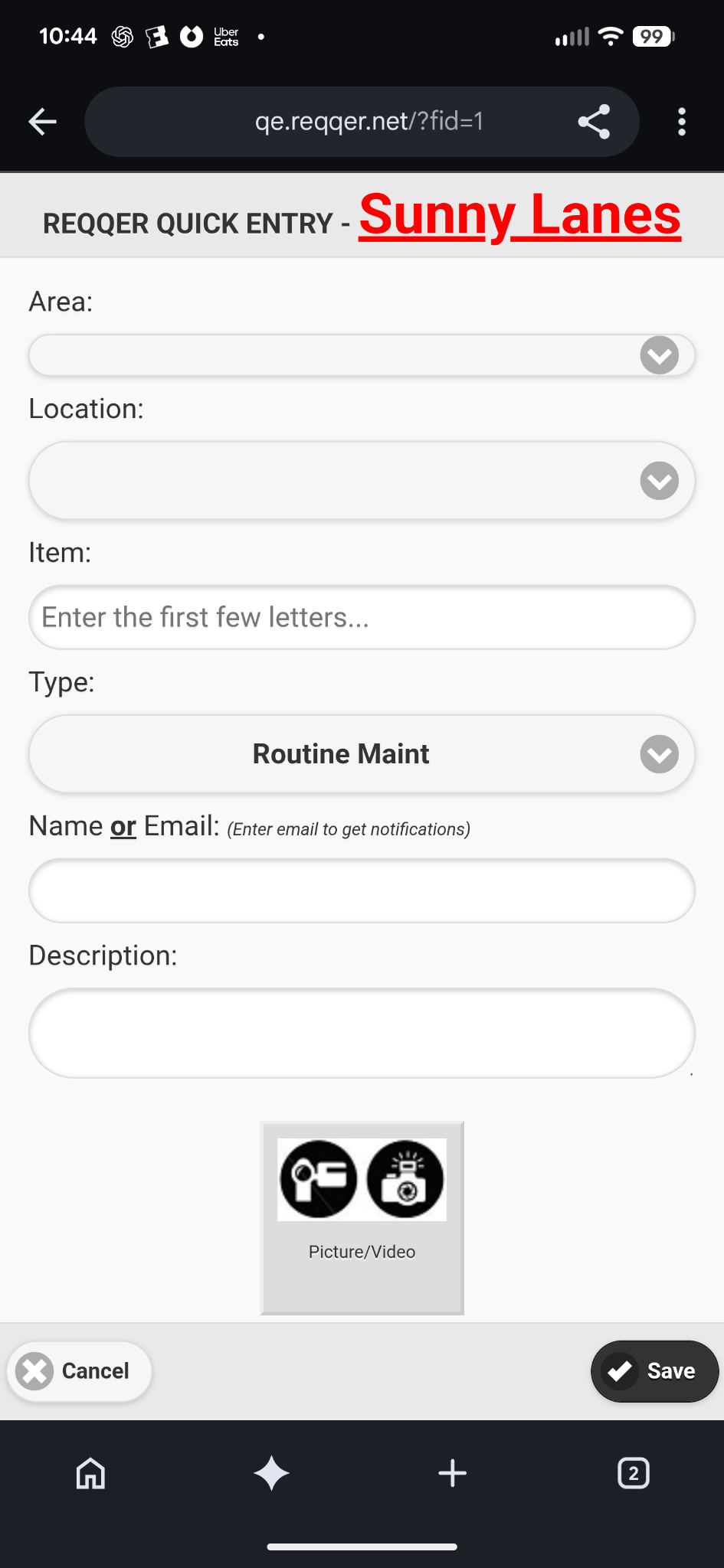
Quick Entry is browser-based and can be used from a phone as well as a desktop browser.
Walkthroughs need a faster workflow than ordinary request entry.
A facilities employee walking a school may find several issues across classrooms, hallways, restrooms, offices, mechanical spaces, or grounds. Entering each item from scratch later creates unnecessary transcription work.
A batch-entry workflow is useful because it lets the employee capture multiple issues while moving through an Area or group of Locations. The resulting items should still become separate Work Orders so each can be assigned, tracked, and closed independently.
.jpg)
Preventive maintenance should not disappear behind the daily request queue.
School facilities teams still have recurring inspections, equipment service, testing, seasonal work, and preventive maintenance to complete while one-time requests arrive. Those recurring responsibilities need their own schedule and their own individual occurrence history.
Keeping one-time Work Orders and generated Scheduled Tasks in the same work environment helps facilities staff see both sides of the workload without confusing their origins.
A teacher reports a damaged classroom door through Quick Entry. Separately, the monthly generator inspection is generated from the preventive-maintenance schedule. Both appear as managed work, but the one-time repair and recurring inspection retain separate histories and logic.
Multi-building organizations need both local focus and broader visibility.
A technician may need a focused building-level work list while a district or organizational leader needs to compare activity, overdue responsibilities, or recurring-work status across multiple locations. Good software should support both without forcing every user into the same screen.
- Facility staff can focus on the work relevant to their building or responsibility
- Mobile users can update Activity, Work Duration, forms, and files from the field
- Management can review selected facilities from a broader Organization view
- Recurring work stays separately trackable by occurrence
- Reports and dashboards can surface work requiring attention
Questions to ask when evaluating school facility Work Order software.
- Can ordinary staff report a problem without learning the full maintenance application?
- Do multiple request channels feed the same managed Work Order process?
- Can walkthrough issues be entered efficiently from a phone or tablet?
- Can technicians update work from the building instead of waiting to return to a desk?
- Are recurring preventive-maintenance tasks managed alongside—but distinguished from—one-time Work Orders?
- Can leadership see activity across buildings while retaining building-level detail?
- Can photographs, Activity, Work Duration, forms, and vendor documentation remain with the work?