
Work Order Management
Requests Console records become the source for workload and aging views.
Explore Work OrdersDashboards & reporting
REQQER Dashboards turn the records created during daily work into focused operational views. Facility teams can save layouts around their responsibilities, while regional and corporate users can move to Organization-level reporting across the facilities they oversee.
Role-focused visibility
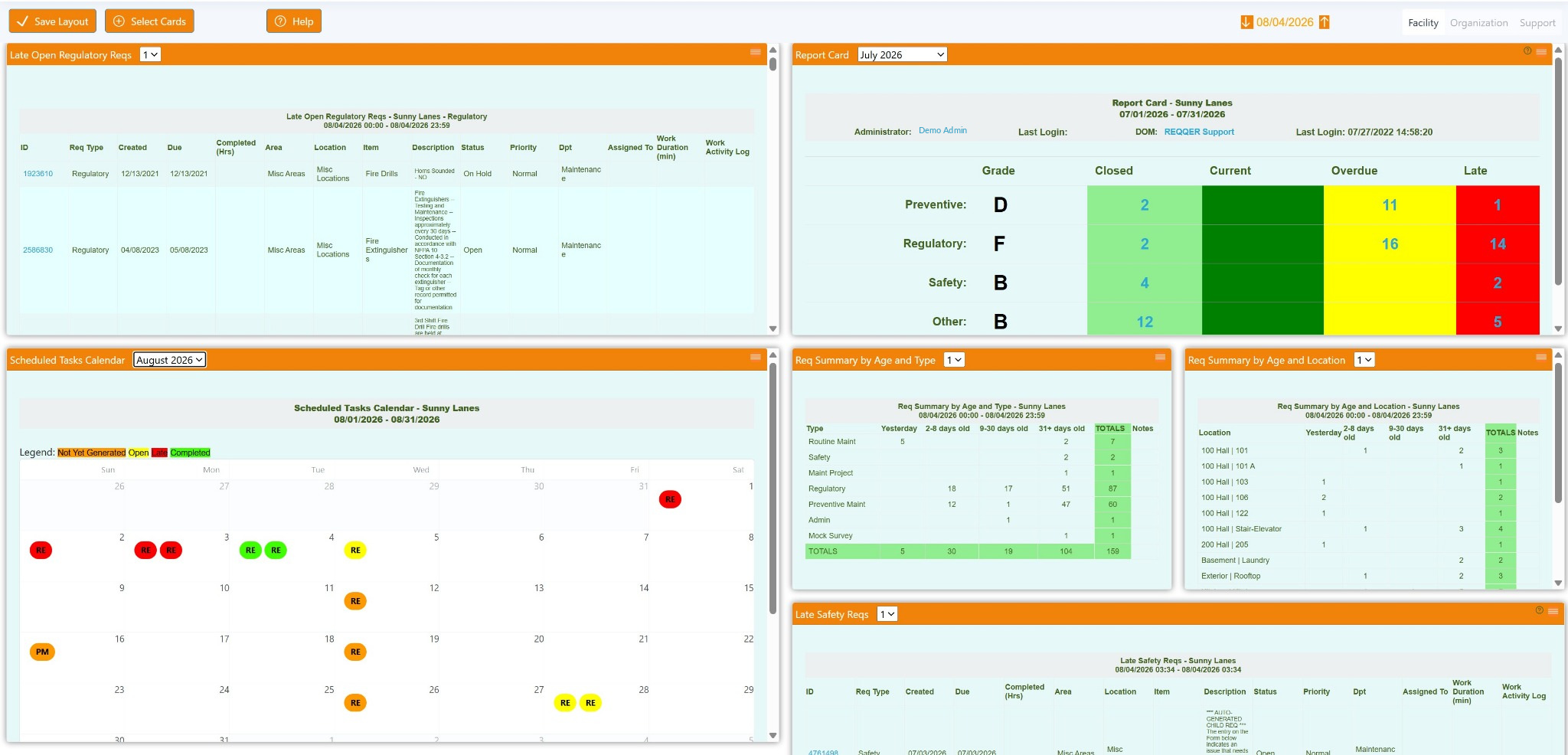
Users can select Dashboard Cards, arrange and resize them, apply Card filters, and save the layout. Facility and Organization Dashboards can maintain different Card selections and layouts.
Saved role view
A Maintenance Director can emphasize regulatory work, the monthly Scheduled Tasks Calendar, workload by Location, and the same performance view management watches.
Facility and organization views
The same Dashboard concept works at two scopes. Facility Dashboard Cards focus on the current building. Organization Dashboard Cards can display separate report sections for multiple facilities, and regional users can limit the view to the subset of facilities within their responsibility.
Operational signals
Dashboard Cards can summarize work in ways that support both immediate action and broader performance review.
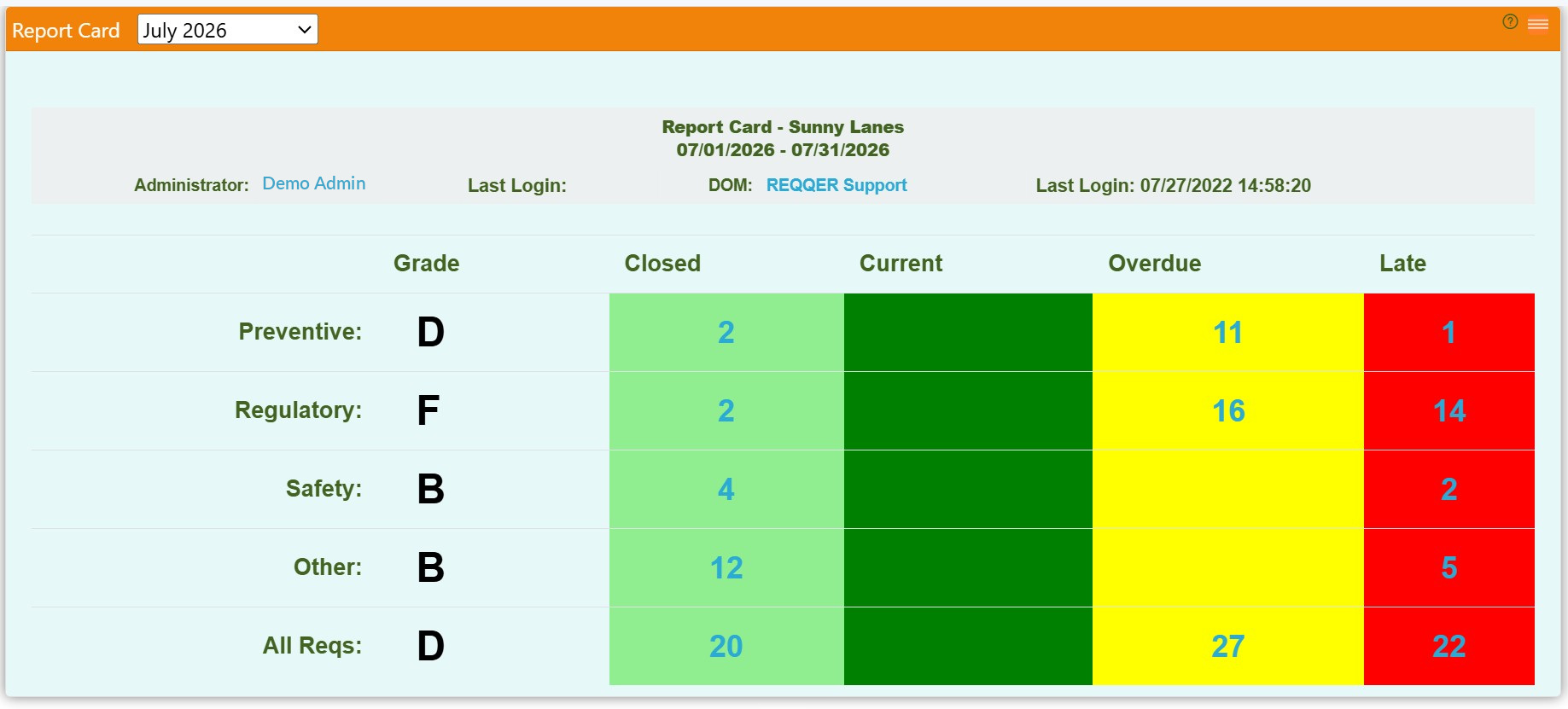
The Report Card uses a weighted score and letter grade to summarize the mix of Closed, Current, Overdue, and Late work as of the Dashboard date.
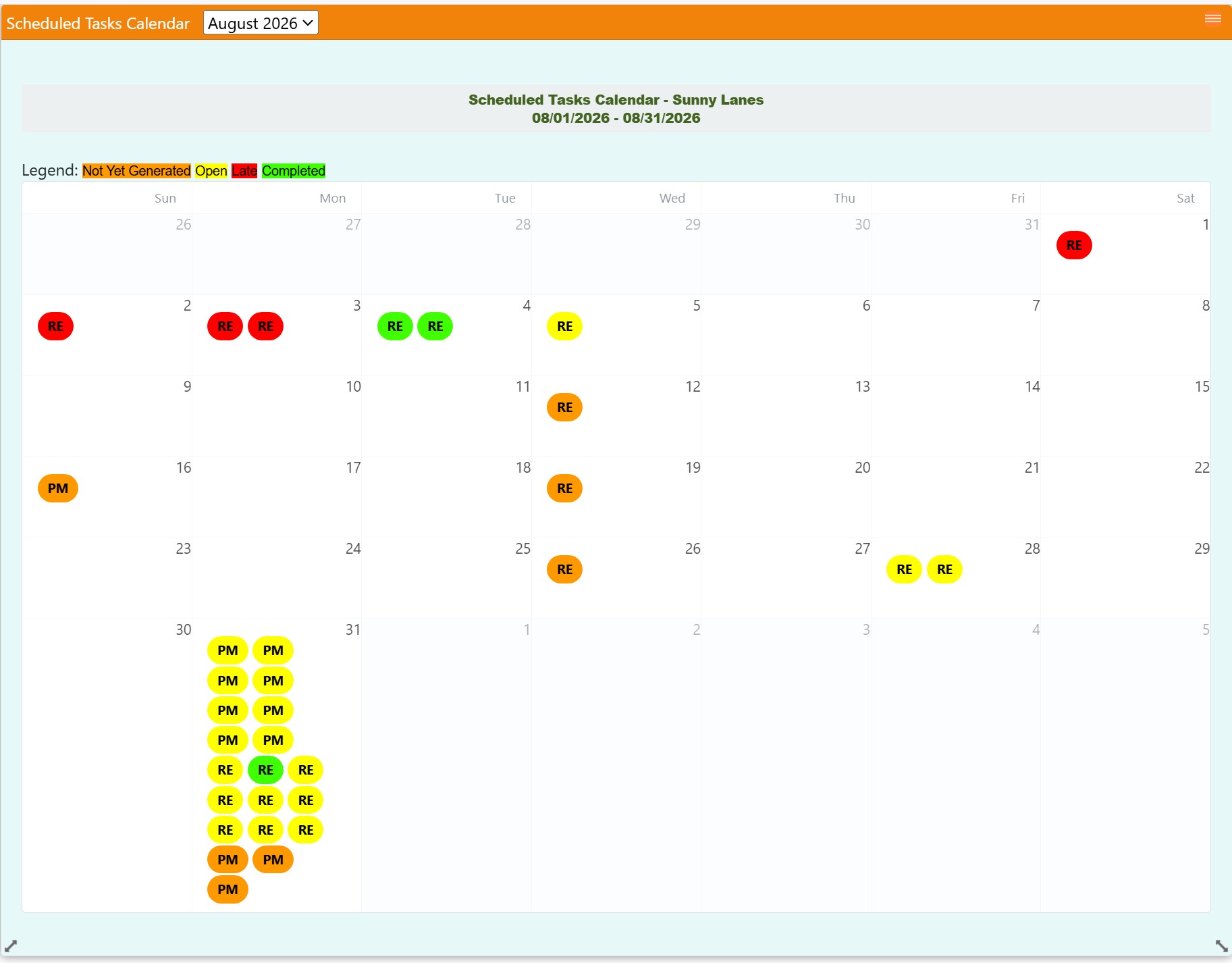
The Scheduled Tasks Calendar includes future occurrences that have not generated yet, helping teams plan recurring workload before Due Dates arrive.
Automated delivery
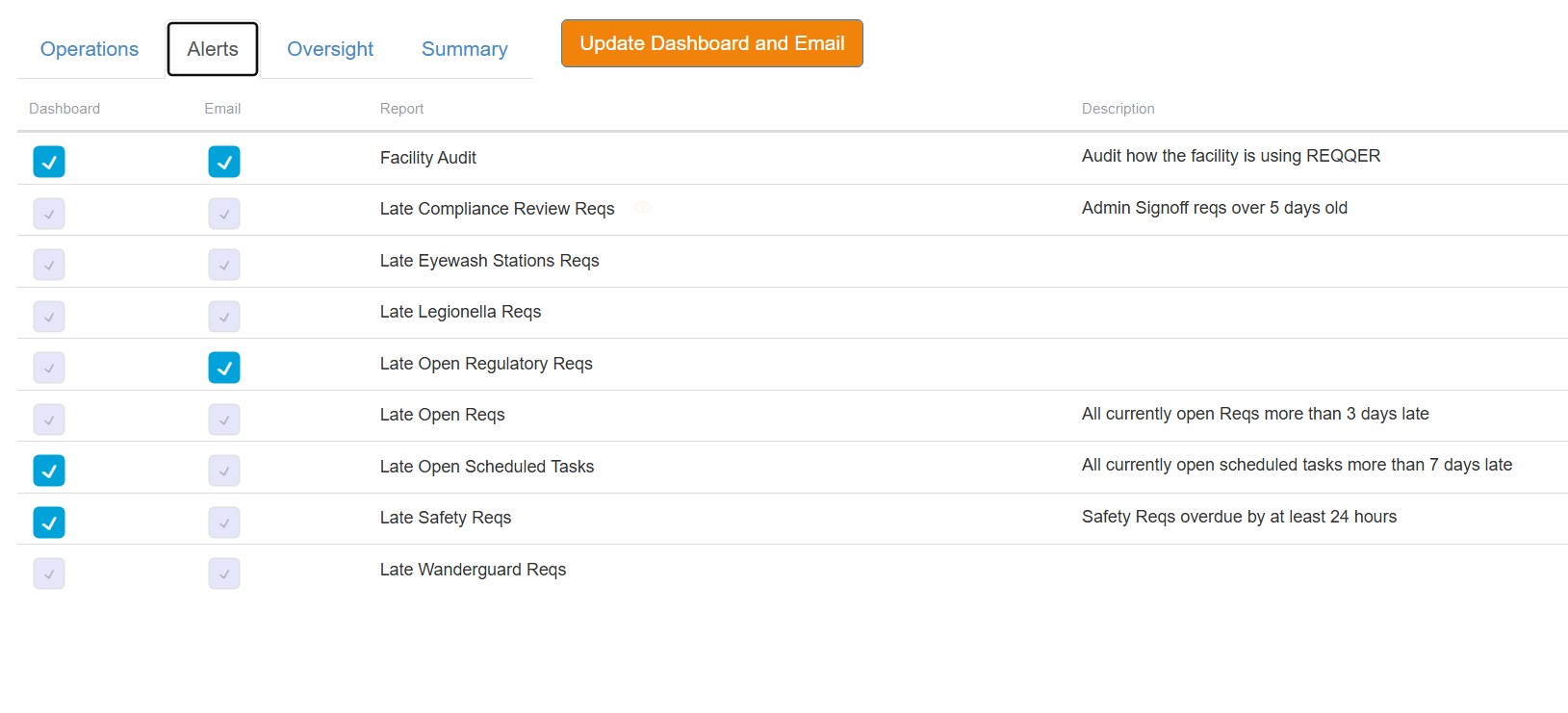
Users can select one set of Cards for their Dashboard and a different set for email delivery. Personal subscriptions can be scheduled, while management can establish recurring delivery for Positions that should always receive a report.
How it works
Related capabilities
See REQQER in action
A demonstration can focus on role-based layouts, recurring-work visibility, report delivery, and multi-facility oversight.