REQQER Mobile

Take the work list into the facility.

REQQER Mobile is a browser-based mobile interface for authorized users. From a phone or tablet, staff can review assigned work, open Reqs, document progress, complete forms, attach supporting files, and enter new issues while they are in the field.

No app-store installation is required; REQQER Mobile runs in a web browser.
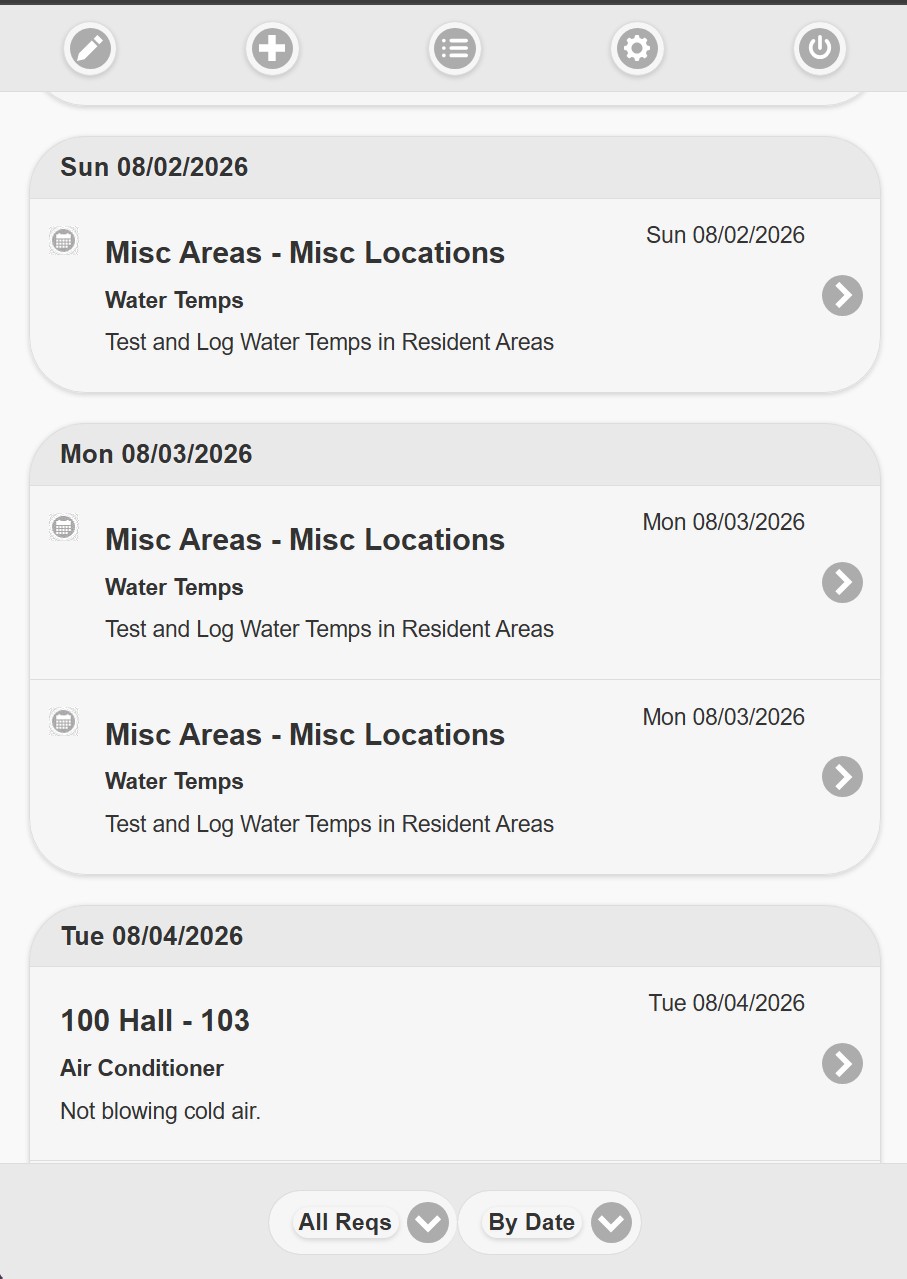
REQQER Mobile Work List
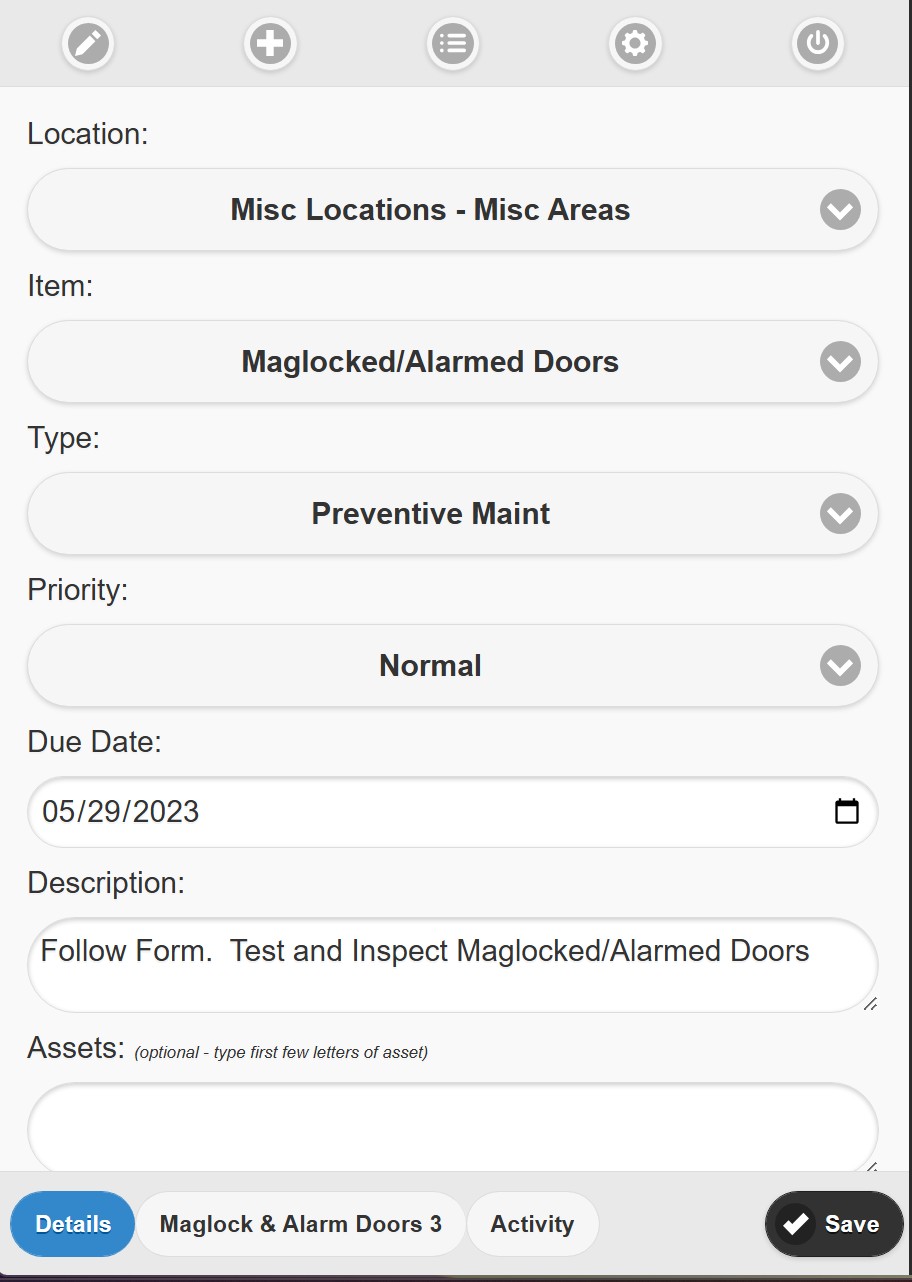
REQQER Mobile Req editor

Focused work list

Start with the work that matters to the person holding the phone.

Mobile opens around practical work-list views rather than trying to reproduce every Desktop screen on a smaller device.
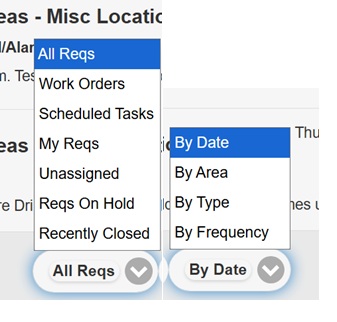
  • My Reqs for work assigned to the current user
  • All Reqs, Work Orders, and Scheduled Tasks
  • Unassigned and On Hold views
  • Recently Closed for quick reference
  • Organize the list By Date, Area, Type, or Frequency
  • Scheduled Tasks are visually distinguished from one-time Work Orders
REQQER Mobile work-list filters and grouping choices

The Mobile interface is intentionally optimized for field use rather than mirroring the full Desktop application.

REQQER Mobile editor showing Req details and tabs

Update the Req in the field

Keep the operating history with the work—not on a separate notepad.

Opening a Req provides its core details and, when applicable, attached Electronic Form and Activity areas. Staff can document what happened as the work progresses.

  • Review Location, Item, Req Type, Priority, Due Date, description, and Asset information
  • Add Activity and actual Work Duration
  • Complete an attached electronic form
  • Capture or attach supporting photo/video when available
  • Place work On Hold or close eligible Reqs when appropriate
  • Switch facilities when the user has access to more than one building

Walkthrough Batch Entry

Enter issues while walking the building instead of transcribing them later.

For systematic walkthroughs, Mobile Batch Entry lets an authorized user choose an Area and record issues directly against its Locations as they are found.

REQQER Mobile Batch Entry by Location

One walkthrough can produce many independent Work Orders.

Each Location appears once initially. Additional issue rows can be opened for the same Location, and each issue can use its own Req Type. Saving converts every nonblank issue into its own Req in the Requests Console.

AreaChoose where the walkthrough is happening.
LocationMove systematically through rooms or spaces.
ReqEach recorded issue becomes trackable work.
Multi-department by design

A single walkthrough can identify Maintenance, Safety, Housekeeping, or other operational issues without requiring separate paper lists.

Mobile versus Quick Entry

Two mobile-friendly experiences for two very different users.

REQQER Mobile

For authorized REQQER users actively managing work.

  • Normal REQQER credentials
  • Work lists and assigned Reqs
  • Activity, Work Duration, forms, updates
  • Batch Entry during walkthroughs
  • Facility switching for permitted users

Quick Entry

For ordinary requesters who simply need to report a problem. Quick Entry is a separate login-free request channel available from both desktop and mobile browsers.

  • No standard REQQER login
  • Simplified request form
  • Organization/Facility-configurable fields
  • Mobile image capture
  • Creates a one-time Work Order
Explore Quick Entry

How it works

See it, open it, document it, keep it moving.

Open MobileBrowser-based access
Choose a viewAssigned, unassigned, category
Open the ReqDetails and context
Document workActivity, duration, files
Complete formWhen attached
Save / closeUpdate the shared record

Related capabilities

Mobile is the field-facing side of the same REQQER workflow.

See REQQER in action

See how your team can work from the floor instead of returning to a desk.

A demonstration can focus on Mobile Work Lists, updating Reqs, forms, and walkthrough Batch Entry.