Work hides in separate channels
Requests, checklists, spreadsheets, email, and paper logs can create different tracking habits for different departments.
Multi-department operations
Maintenance may be the operational center, but facility work does not stop there. REQQER can organize work across Maintenance, Housekeeping, Dietary, Purchasing, and other departments while keeping tasks, assignments, schedules, and day-to-day views focused around the people responsible.
Teams can stay focused on the work relevant to them while facility and regional leadership retain broader operational visibility.
The operating problem
Requests, checklists, spreadsheets, email, and paper logs can create different tracking habits for different departments.
Without a common Req lifecycle, status, responsibility, Due Dates, and follow-up can mean different things across teams.
Issues discovered across rooms or Locations are easy to lose when staff first write them down and enter them later.
Facility and regional leaders have to combine separate records to understand the operational picture.
A common operating vocabulary
Across departments, REQQER can use the same core record structure while allowing appropriate Req Types, fields, defaults, views, and workflows to vary.
Walkthroughs and inspections
Mobile Batch Entry is especially useful during a building walkthrough. Staff choose an Area, move through its Locations, enter one or more issues, and select the appropriate Req Type for each issue. Every nonblank issue becomes its own Work Order.
.jpg)
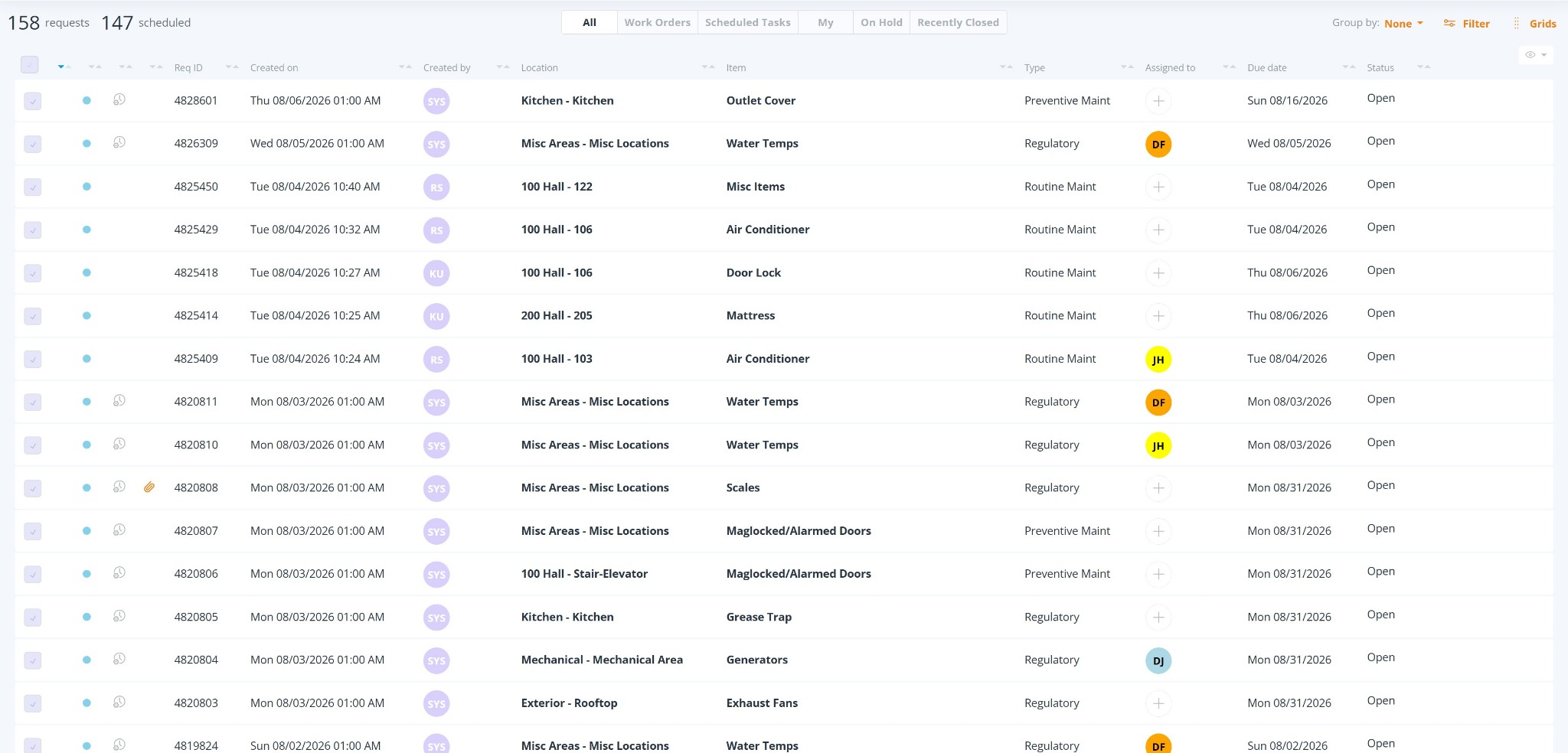
One operational center
The Requests Console provides one central working list for Reqs while views, filters, Department, Req Type, assignment, and other criteria help users narrow the list around the work that matters to them.
Capabilities behind the solution
Map your departments
A demonstration can focus on the departments you manage today, how requests enter each workflow, and what facility or regional leadership needs to see across them.