
Inspections & electronic forms

Make the inspection part of the work—not a document filed afterward.

REQQER electronic forms collect structured responses inside the Req workflow. They can guide recurring inspections, enforce required information, retain readings and acknowledgments, and turn identified problems into linked corrective work.

Forms remain connected to the Req that was being performed when the information was collected.

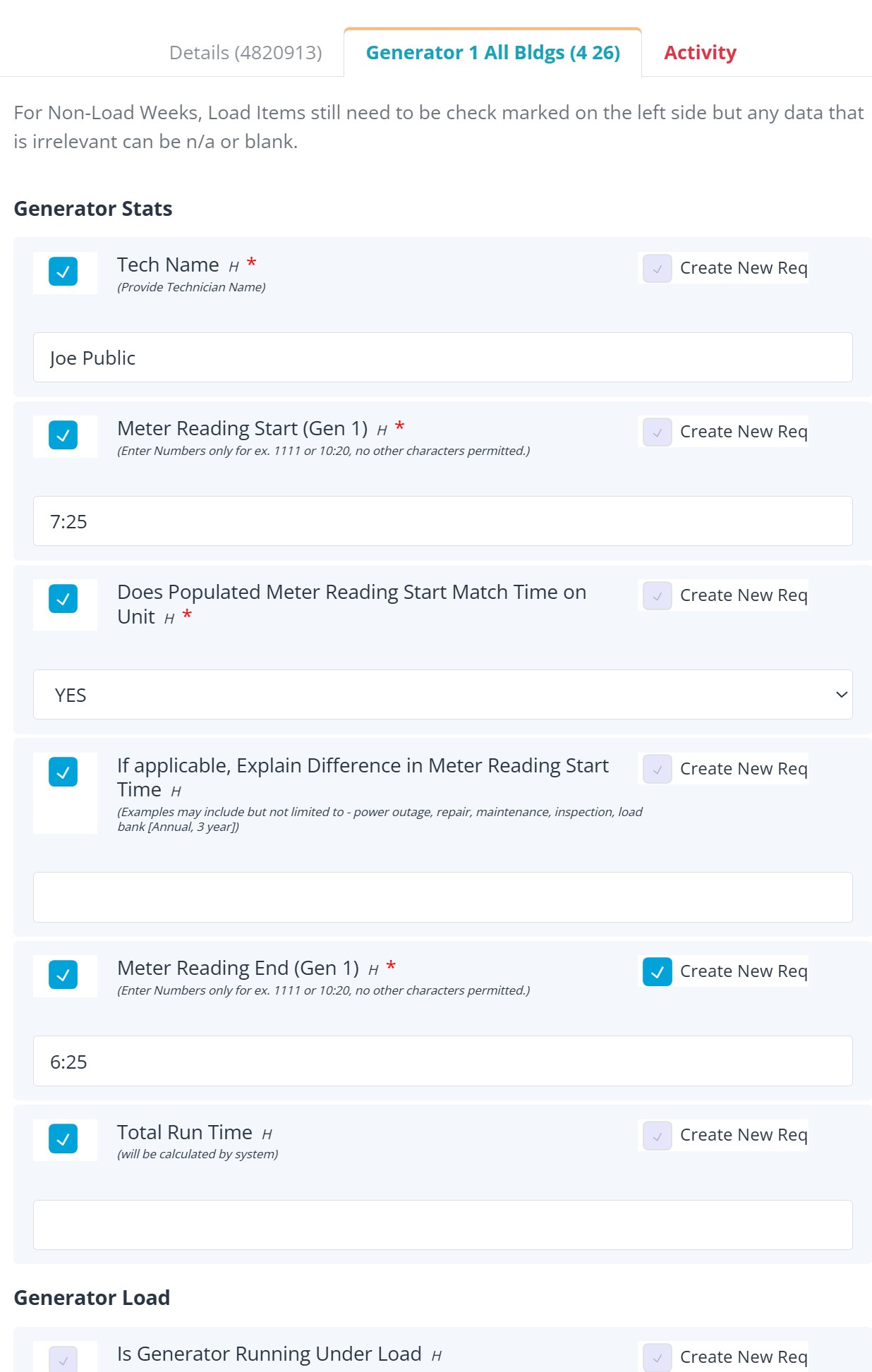
REQQER electronic form attached to a Scheduled Task

Structured field documentation

Collect the information the task actually requires.

Forms can be configured around the inspection or operational process instead of forcing every task into the same generic checklist.

  • Text, readings, dates, dropdown selections, Locations, acknowledgments, and other structured values
  • Required fields visibly identified for the user
  • Form-specific validation or calculations where configured
  • One form attached to a Req with multiple response rows
  • Available forms can also support specialized one-time Work Order entry

Documentation can be part of completion.

For Scheduled Tasks, form completion, required responses, required supporting uploads, and configured validation can help prevent work from being closed before the expected documentation is present.

RequiredFields can require a response
ValidatedRules can check entered values
ConnectedResponses remain with the Req

Inspection → corrective action

When a form finds a problem, follow-up does not have to start somewhere else.

A configured response can enable Create New Req so corrective work becomes a separate, trackable Req while preserving the link to the inspection that found the issue.

Complete the formRecord the inspection, reading, checklist response, or finding.
Issue identifiedA configured response can suggest corrective action; the user can normally confirm or override the choice.
Corrective child ReqA separate Req tracks the follow-up while retaining the parent/form relationship.

See the relationship

The inspection and the corrective work remain connected.

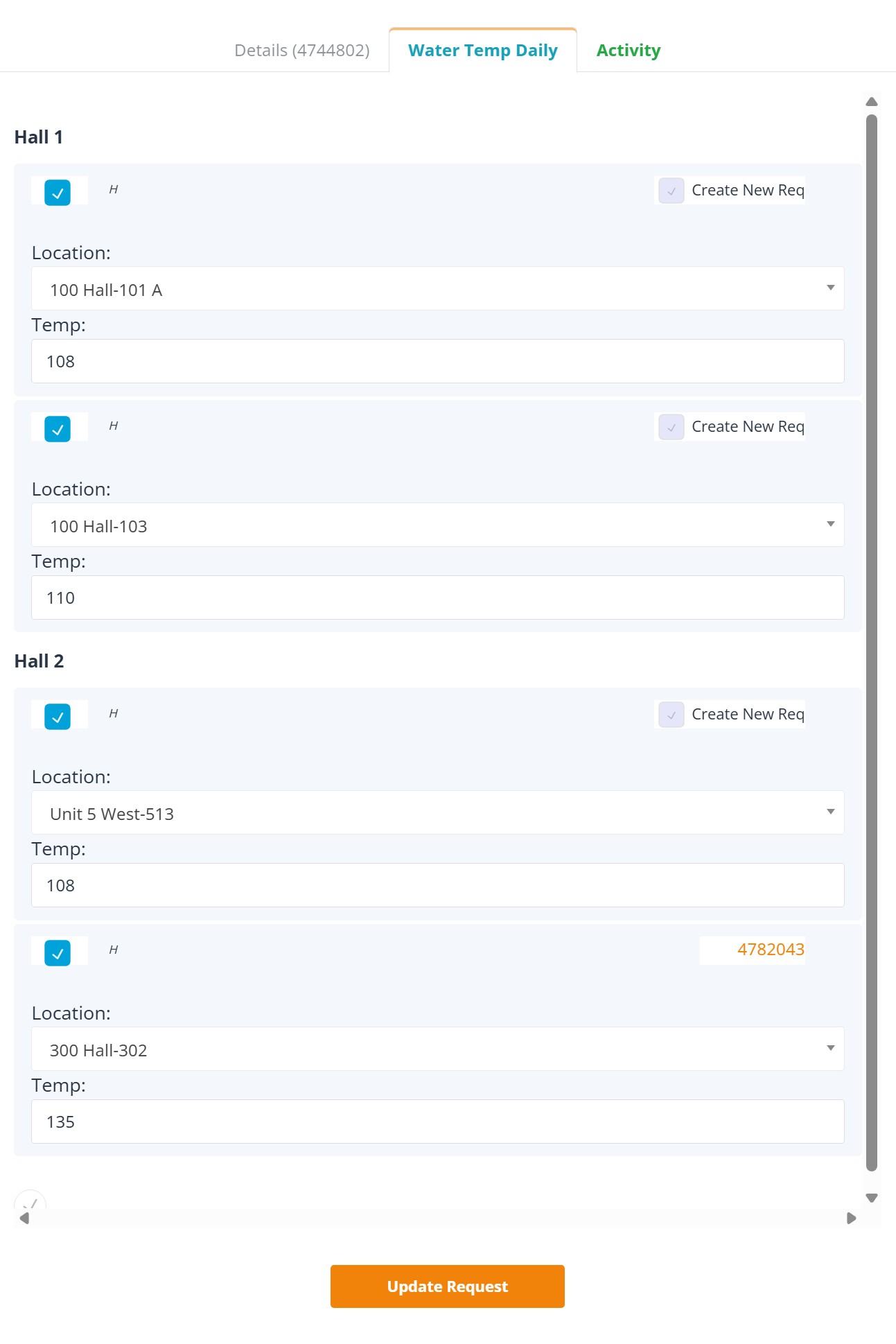
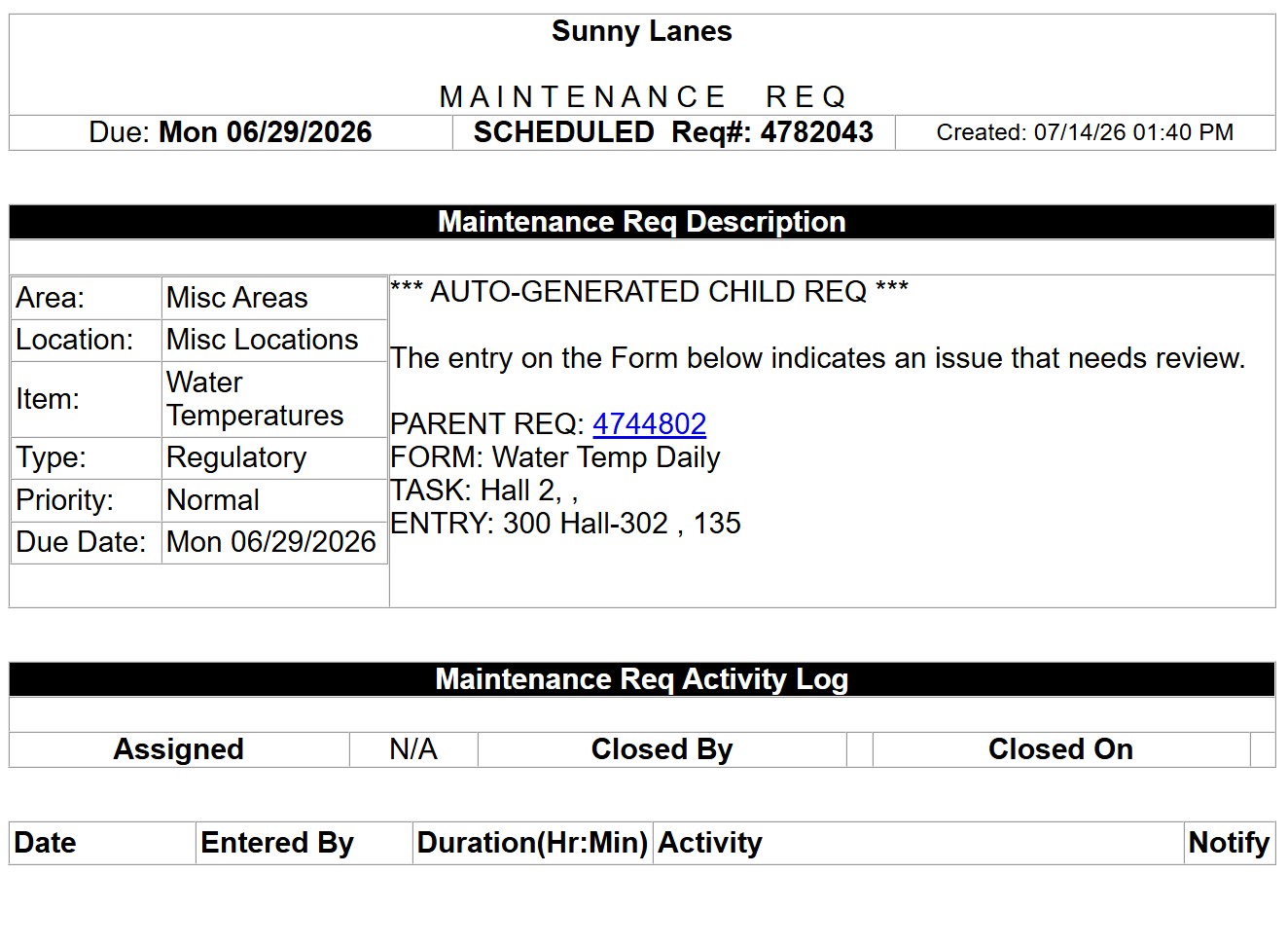
The parent form can display the resulting child Req ID, while the child record identifies the parent and the form context that triggered it.

Parent REQQER electronic form showing linked corrective child Req ID

Parent Scheduled Task: the form response that generated follow-up remains visible with a clickable child Req ID.

REQQER corrective child Req linked to the parent inspection

Corrective child Req: separate work record with the parent/form context preserved in the description.

Separate accountability

Finish the inspection without losing the corrective work.

The parent inspection and corrective child Req have separate lifecycles. The inspection can be properly completed while corrective work remains Open until the deficiency is resolved.

Parent inspection / task

Preserves the original form responses, documentation, and context in which the problem was identified.

  • Own Status and completion history
  • Original form stays with the parent
  • Can close when its inspection/documentation requirements are satisfied

Corrective child Req

Tracks the separately actionable work created by the finding.

  • Own Req ID, Status, Activity, Work Duration, and documents
  • Retains the link back to the parent
  • Inherits key context such as Location, Priority, and Due Date; assignment can be handled separately

Forms support more than one outcome

The same structured responses can power daily work, corrective action, and reporting.

Inspection completion

Use acknowledgement and response fields to document that required checks were actually performed.

!

Corrective follow-up

Configured responses can create separately trackable work instead of burying a deficiency inside a checklist.

T

Task Logs

Selected recurring form responses can be reorganized into date-based running logs for review over time.

L

Log Books

Associated forms can become part of an organized recurring-work evidence package alongside the Req and supporting documents.

C

Compliance Review

Administrators can review selected regulatory work together with forms, attachments, and related corrective Reqs.

M

Mobile workflow

Electronic forms can also be completed within the REQQER Mobile work process when the task is being performed in the field.

Related capabilities

Forms become more valuable when they are part of the larger Req lifecycle.

See forms in context

Show us an inspection or paper checklist you want to bring into the workflow.

A demonstration can focus on recurring inspections, required responses, corrective-action behavior, documentation requirements, Task Logs, or Mobile form completion.