Problems are discovered by people who are not maintenance users.
Teachers, staff, and other occupants may be the first to see a classroom, restroom, common-area, or equipment issue.
Educational facilities
REQQER helps schools, campuses, and multi-building educational organizations manage classroom and building requests, preventive maintenance, inspections, field walkthroughs, supporting documentation, vendors, and organization-wide reporting.
The same Req lifecycle can support one building or multiple campuses while keeping local work visible to the people responsible for it.
Campus work moves differently
Teachers, staff, and other occupants may be the first to see a classroom, restroom, common-area, or equipment issue.
Multiple buildings, wings, floors, classrooms, and common areas make paper inspection notes and later transcription inefficient.
Recurring maintenance and inspections should remain visible and separately tracked even during busy periods of unplanned work.
Walkthrough Batch Entry
Authorized staff can select an Area, move through its Locations, enter one or more issues as they are discovered, choose the appropriate Req Type, and save each nonblank issue as its own Req.
.jpg)
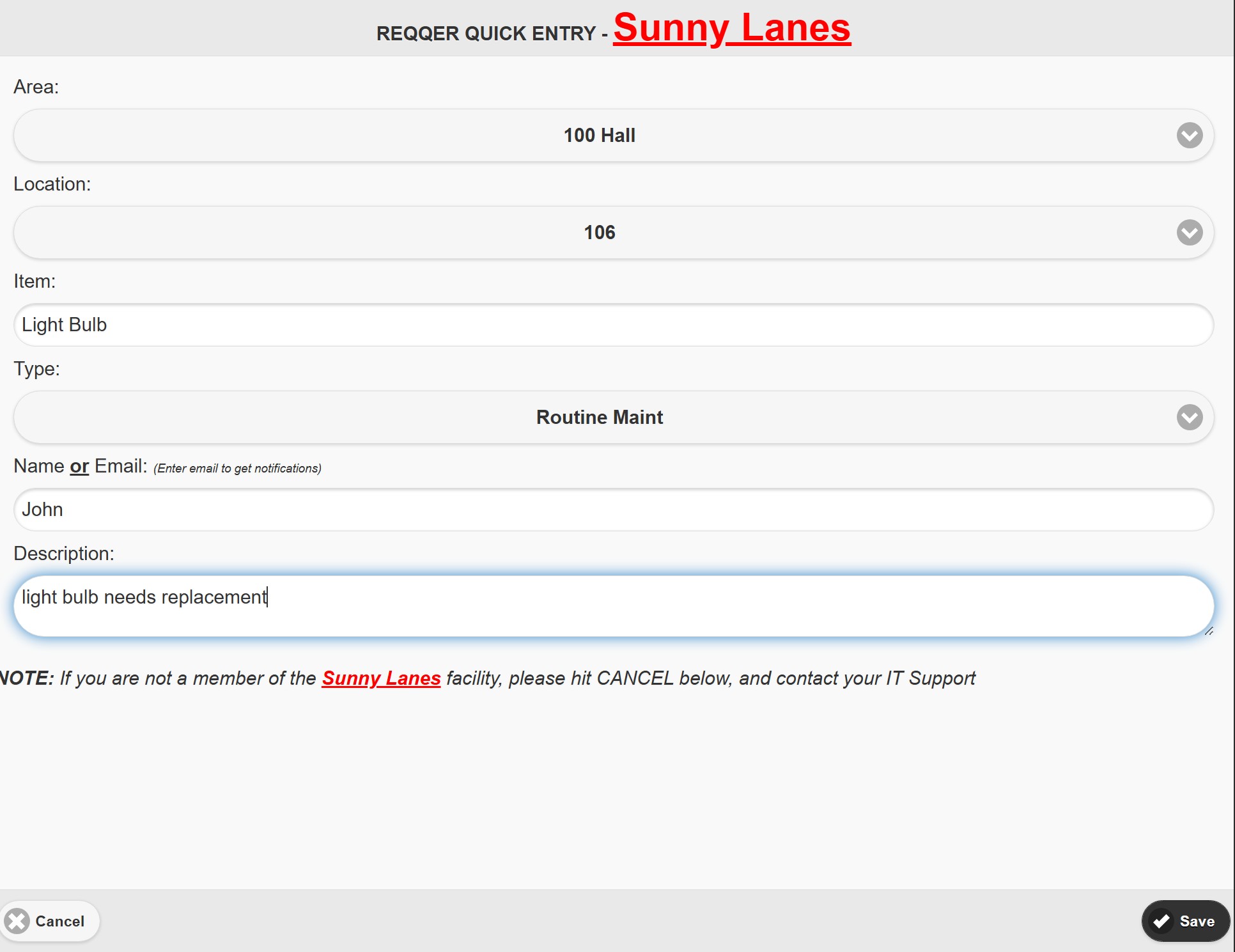
Simplified service requests
Quick Entry lets a requester submit a one-time Work Order without signing into the full REQQER system. Optional Email-to-Req and configured Voicemail-to-Req can provide additional intake channels where appropriate.
Preventive maintenance across buildings
The Scheduler defines the recurring responsibility; each occurrence becomes a separate Scheduled Task with its own Due Date, assignment, Activity, documentation, and completion history.
For one school or many
See an education workflow
A demonstration can focus on campus request intake, classroom/building walkthroughs, preventive maintenance, inspections, Mobile work, vendor documentation, or multi-location oversight.