
1
No standard login
Requesters do not need to navigate the full REQQER interface or maintain a normal user workflow just to report an issue.
Quick Entry & request intake
Quick Entry gives facility staff and other ordinary requesters a simplified way to submit a one-time Work Order without signing into the full REQQER system. The requester sees only the information needed to report the issue, while REQQER brings the resulting Work Order into the normal management process.
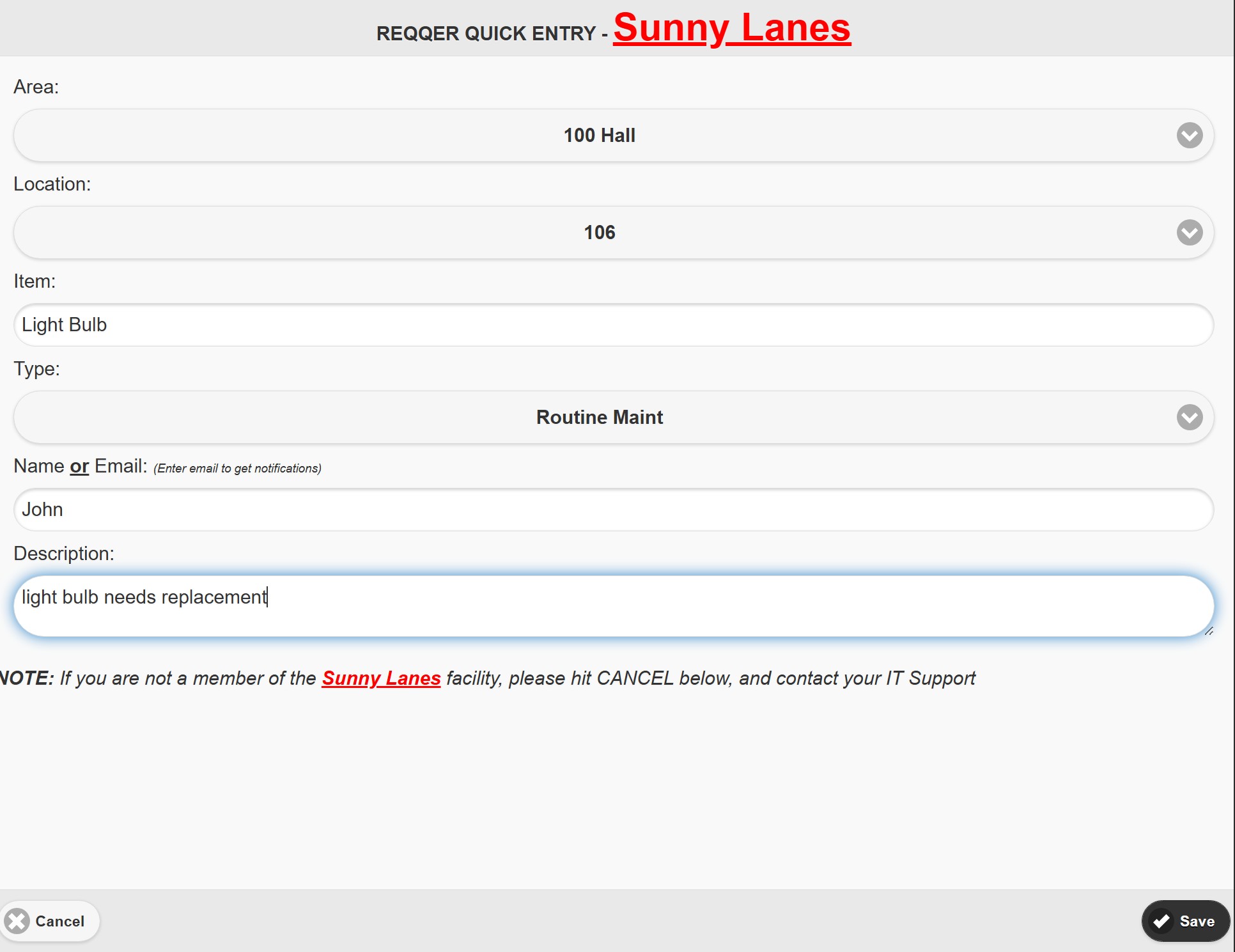
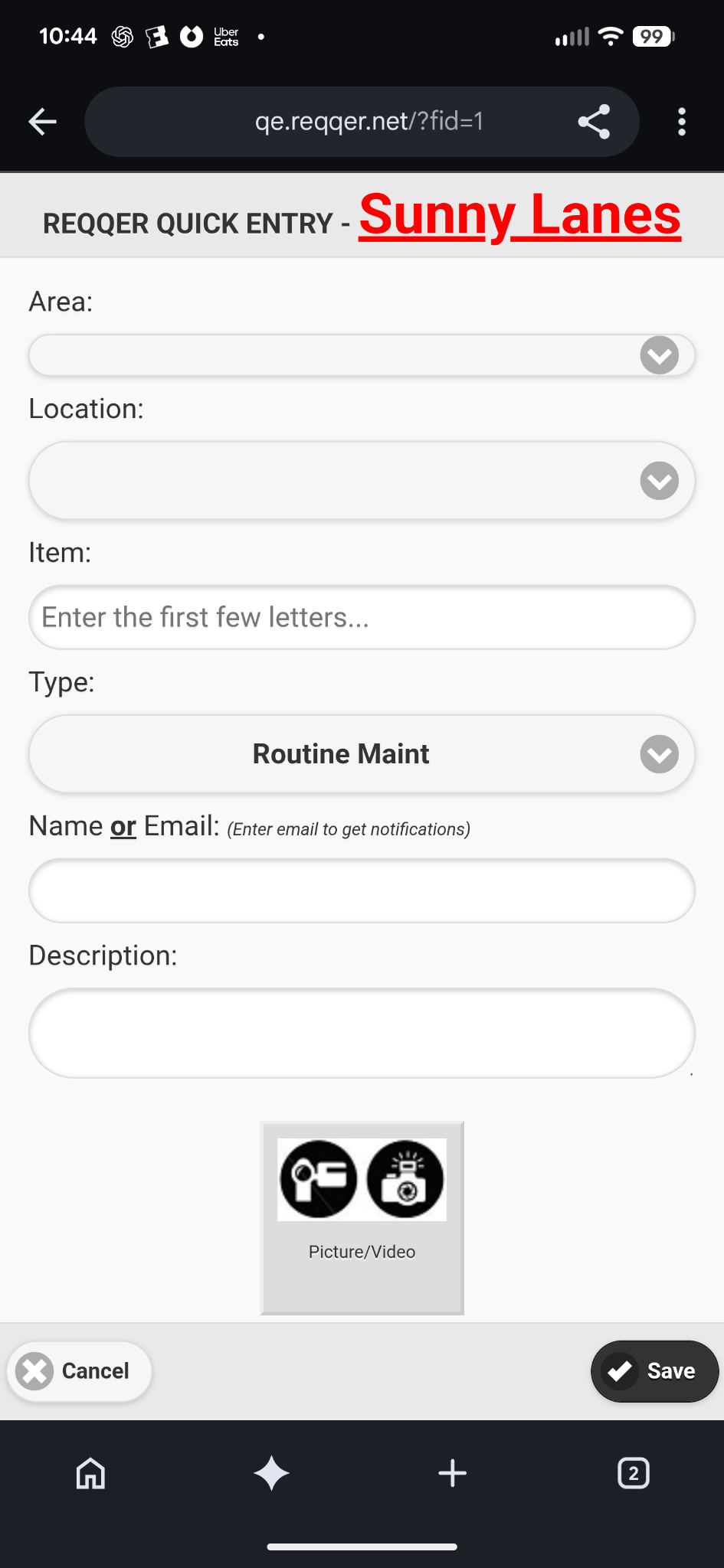
Simple requester experience
Quick Entry can present the fields and defaults appropriate to the Organization or Facility, giving requesters a focused path from “something is wrong” to a trackable Work Order.
Requesters do not need to navigate the full REQQER interface or maintain a normal user workflow just to report an issue.
Depending on configuration, the form can ask for Area, Location, Item, Req Type, Priority, requester information, and Description.
On a mobile device, the requester can capture or attach supporting imagery so the maintenance team can see the problem before arriving.
Configurable by facility
Quick Entry can differ from one facility to another. Fields may be shown, hidden, or given defaults so the experience matches how the organization wants ordinary requests to enter the system.
Desktop or shared-device use keeps the form focused on structured issue submission.
Mobile requesters gain an image-capture option without becoming full REQQER users.
Multiple intake channels
Quick Entry is only one way a one-time request can reach REQQER. The best intake method can vary by audience and setting.
Email and voicemail intake
A user can submit a Work Order by email without a REQQER login. The email body becomes the issue description, and attached pictures, videos, or documents remain with the resulting Req.
An optional configured service lets a caller leave a message at a dedicated facility number. REQQER creates a one-time Work Order and attaches the voicemail recording for staff to review.
The important part happens next
Once created, a Work Order can be prioritized, assigned, documented through Activity, coordinated with an External Vendor, supported by attachments, and ultimately closed with a permanent history.
Explore Work Order ManagementQuick Entry versus Mobile Batch Entry
Best when an ordinary requester has one issue to report and should not need the full REQQER workflow.
Best when an authorized REQQER user is systematically walking an Area and recording multiple issues across Locations.
Explore Mobile Batch EntrySee REQQER in action
A demonstration can compare logged-in entry, Quick Entry, Mobile workflows, and supported email or voicemail intake.