
Centralized service-request management

Give people more than one way to report a problem—and give the team one place to manage it.

REQQER can accept one-time Work Orders through full Desktop and Mobile workflows, simplified Quick Entry, email, optional voicemail, and Batch Entry while bringing the resulting work into the same accountable Req process.

Not every requester needs the same interface. The maintenance or operations team still needs one managed work list afterward.
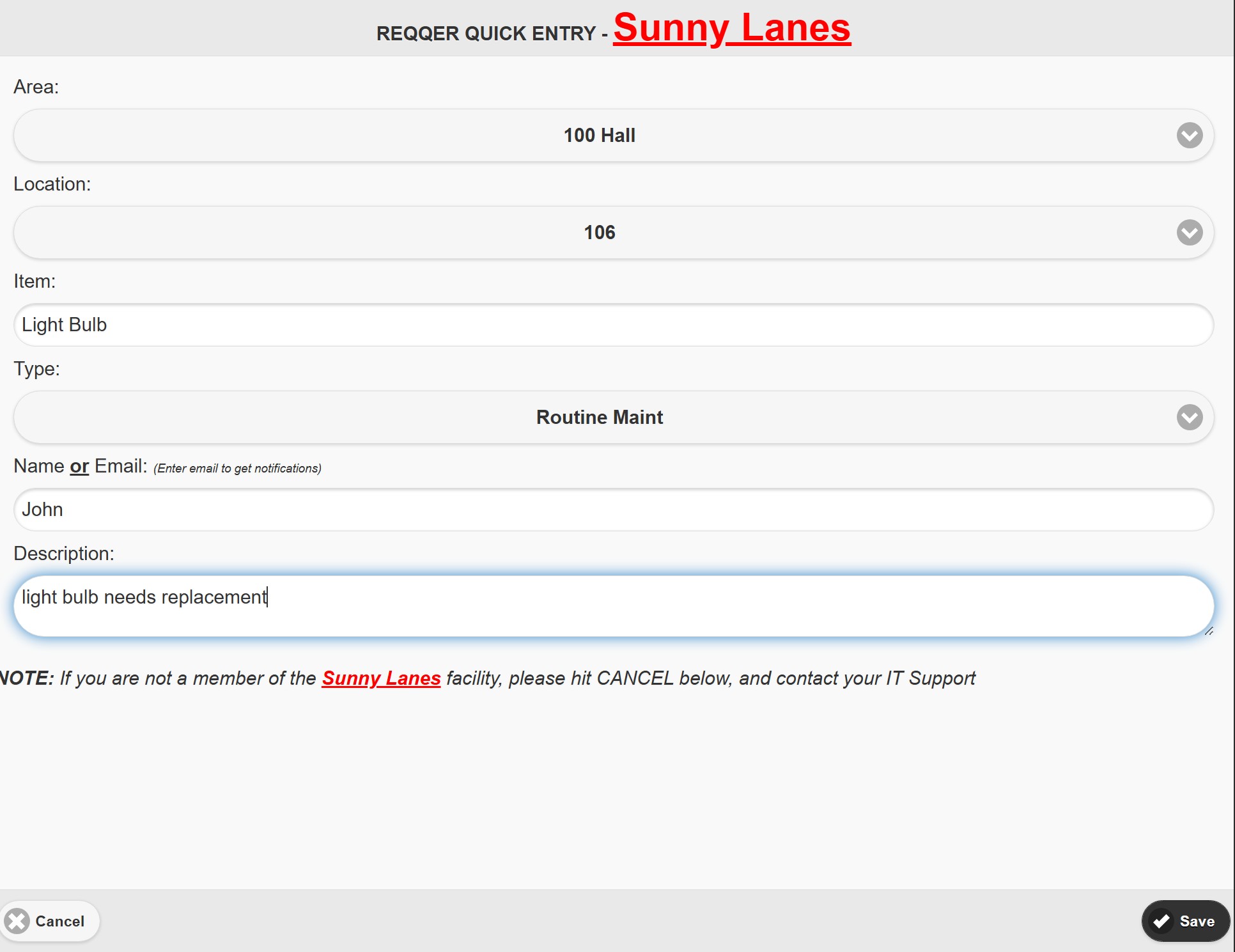
REQQER Quick Entry desktop form for simplified Work Order submission

Multiple intake channels

Match the request method to the person reporting the issue.

Different channels can feed the same Work Order lifecycle instead of forcing every requester to learn the full application.

DesktopFull Work Order entry and management
MobileAuthorized staff in the field
Quick EntryLogin-free browser submission
EmailStructured inbound request channel
VoicemailOptional phone-in Work Orders

One accountable destination

Once the request becomes a Req, manage it like the rest of the work.

CaptureRequester reports the need through the appropriate channel.
ManagePrioritize, assign, add Activity, attach documents, and keep the Req visible.
ResolveDocument completion and retain the history for reporting and follow-up.

Simplified requesters

Make reporting a problem easier than ignoring it.

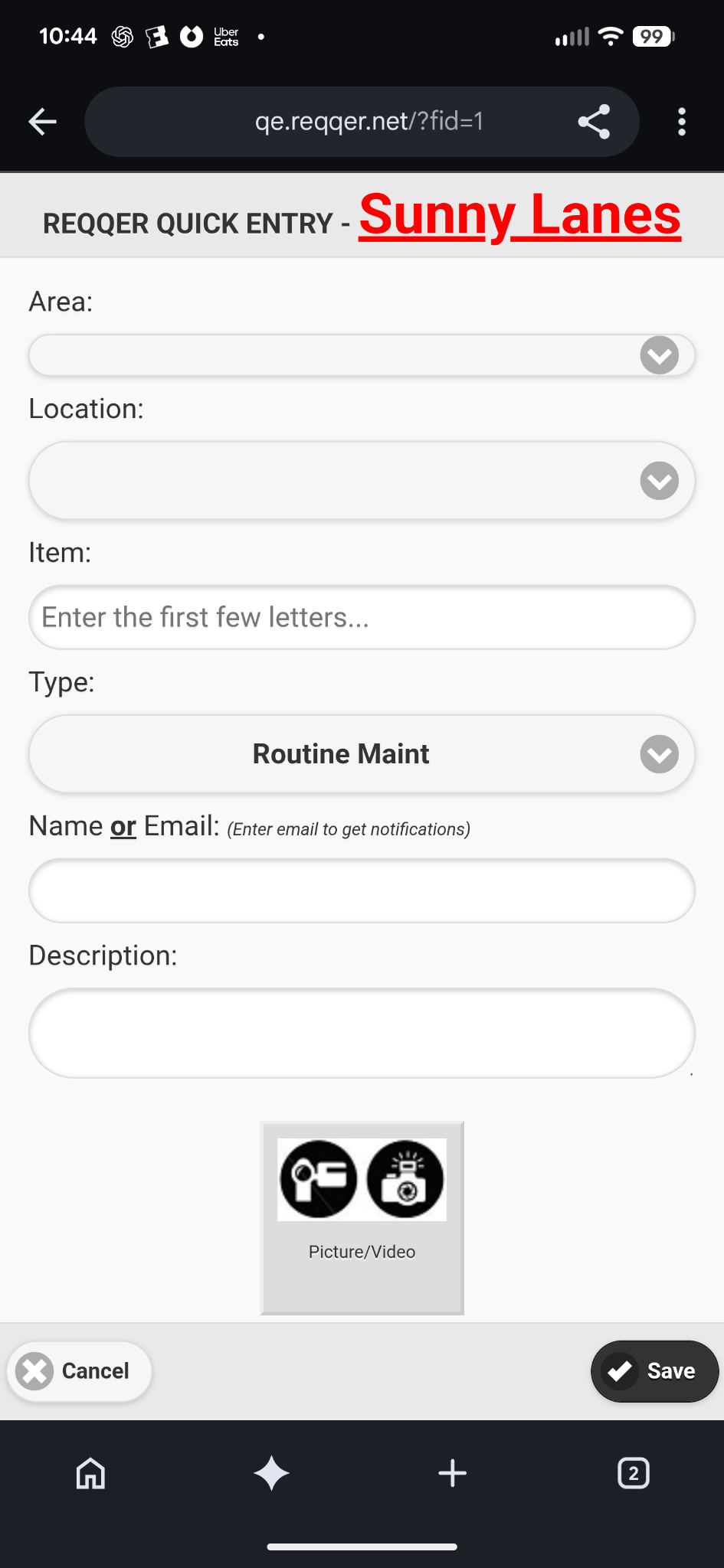
Quick Entry gives facility staff a simplified browser form for submitting a one-time Work Order without signing into the full REQQER system. It works from desktop and mobile browsers, and the displayed fields can be adapted by Organization or Facility.
  • No standard REQQER login for ordinary request submission
  • Structured fields such as Area, Location, Item, Type, reporter information, and description
  • Mobile requesters can capture or attach an image when enabled
  • Requester email can be retained for creation and completion notifications
Explore Quick Entry & Request Intake
REQQER Quick Entry desktop
REQQER Quick Entry mobile browser
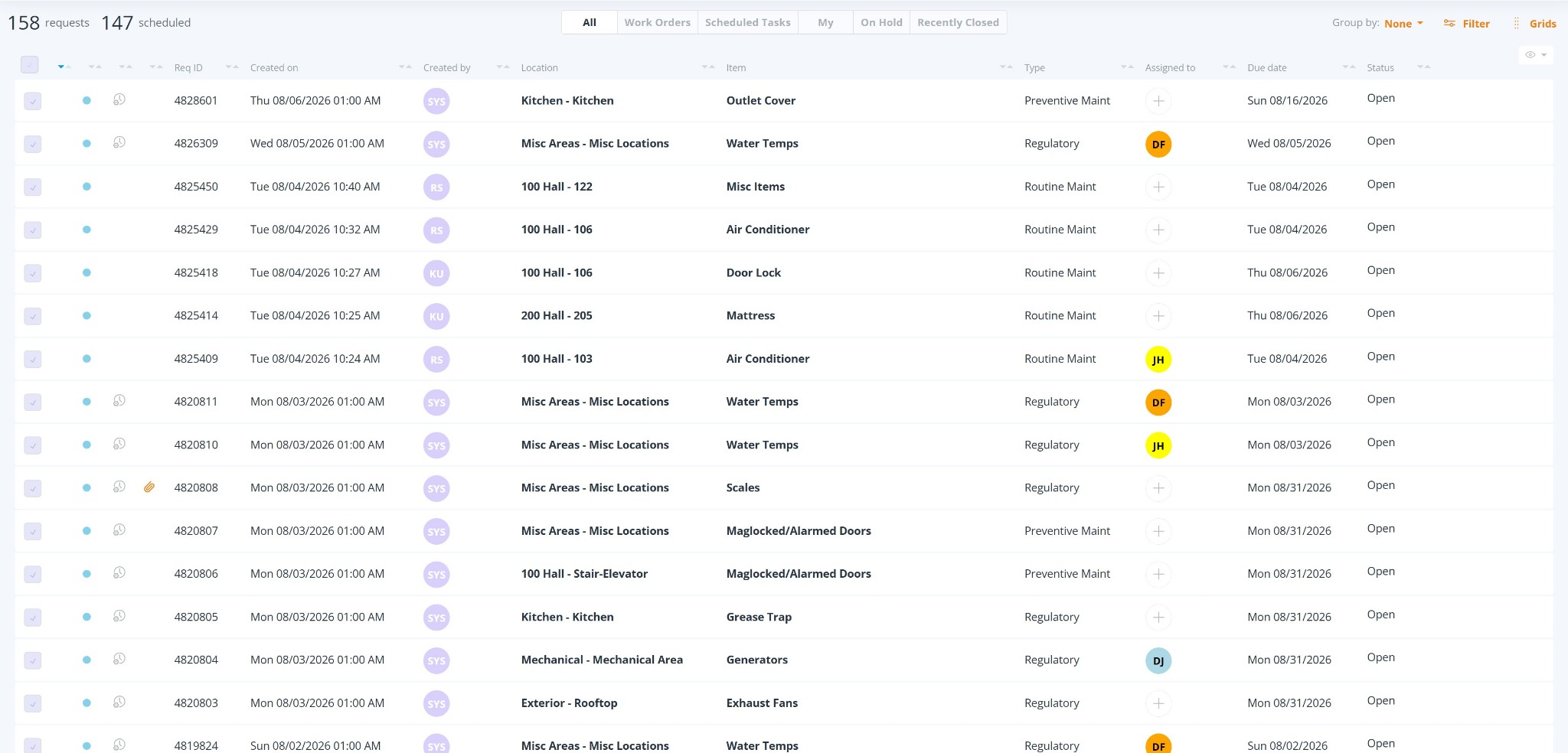
REQQER Requests Console containing managed Work Orders and Scheduled Tasks

Requests Console

Centralize follow-through after decentralized intake.

The Requests Console gives the responsible team one scrolling work list with built-in views, detailed filters, assignment, attachments, and summary-to-detail Grids. The request channel can vary; accountability afterward does not have to.

  • Work Orders and Scheduled Tasks can be viewed together or separately
  • Assigned, Unassigned, On Hold, and recently completed work can be focused quickly
  • Detailed filtering can narrow by dates, Status, Type, Location, Item, assignment, vendor, and more
  • Grids summarize workload and drill directly into the underlying Reqs
Explore Work Order Management

Walkthroughs are different

When one person is finding many issues, use Batch Entry instead of submitting the same form repeatedly.

Mobile Batch Entry is designed for authorized REQQER users systematically walking an Area and recording multiple issues by Location. Desktop Batch Entry remains useful with a laptop or when transcribing collected notes.

Map your request channels

See how each type of requester can feed one managed work process.

A demonstration can compare full REQQER entry, Mobile, Quick Entry, Batch Entry, email, and optional voicemail while showing what the maintenance team sees afterward.