
Complete the inspection
The inspection record can be finished when the inspection itself is complete.
Inspection & corrective-action workflows
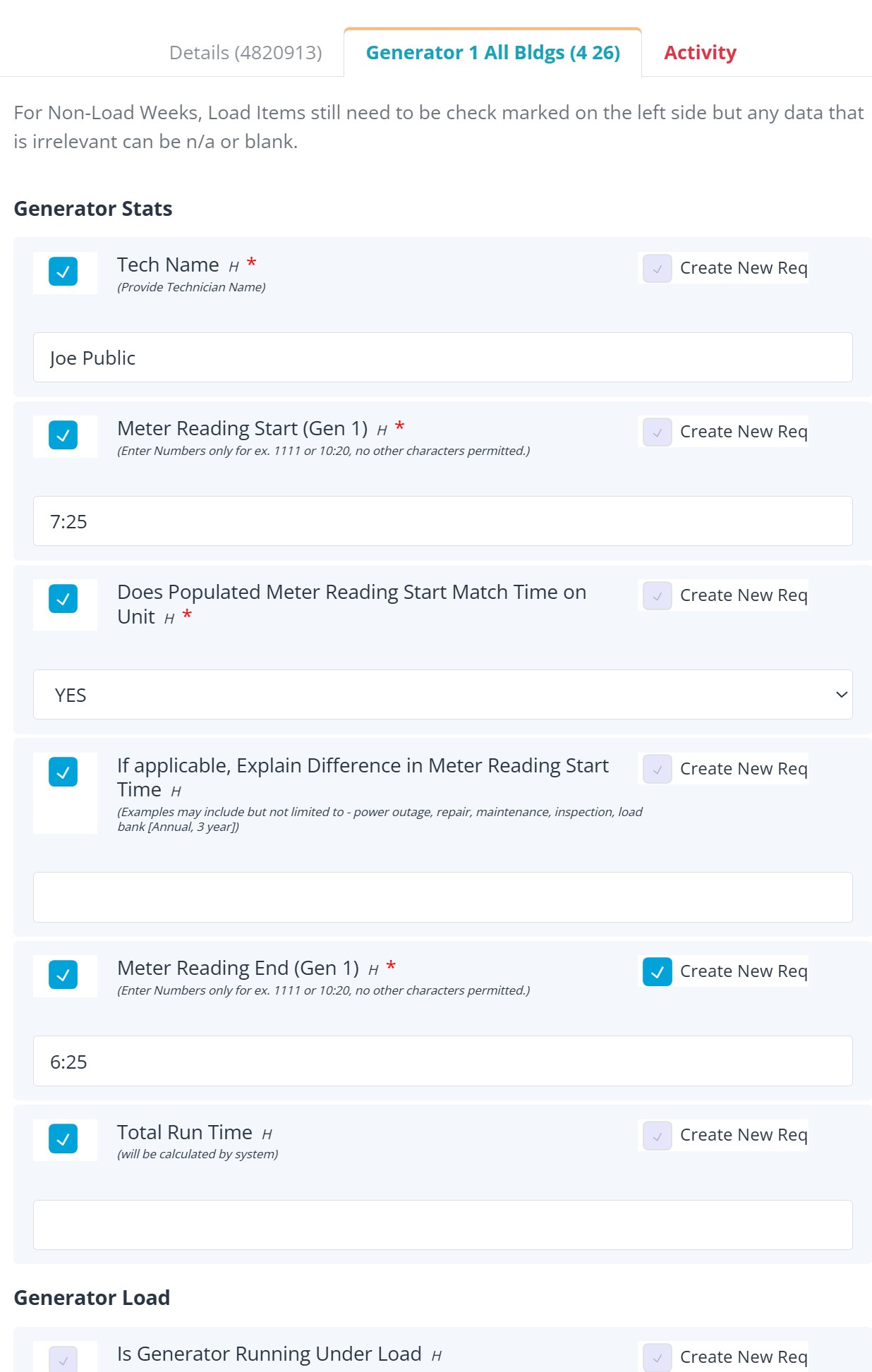
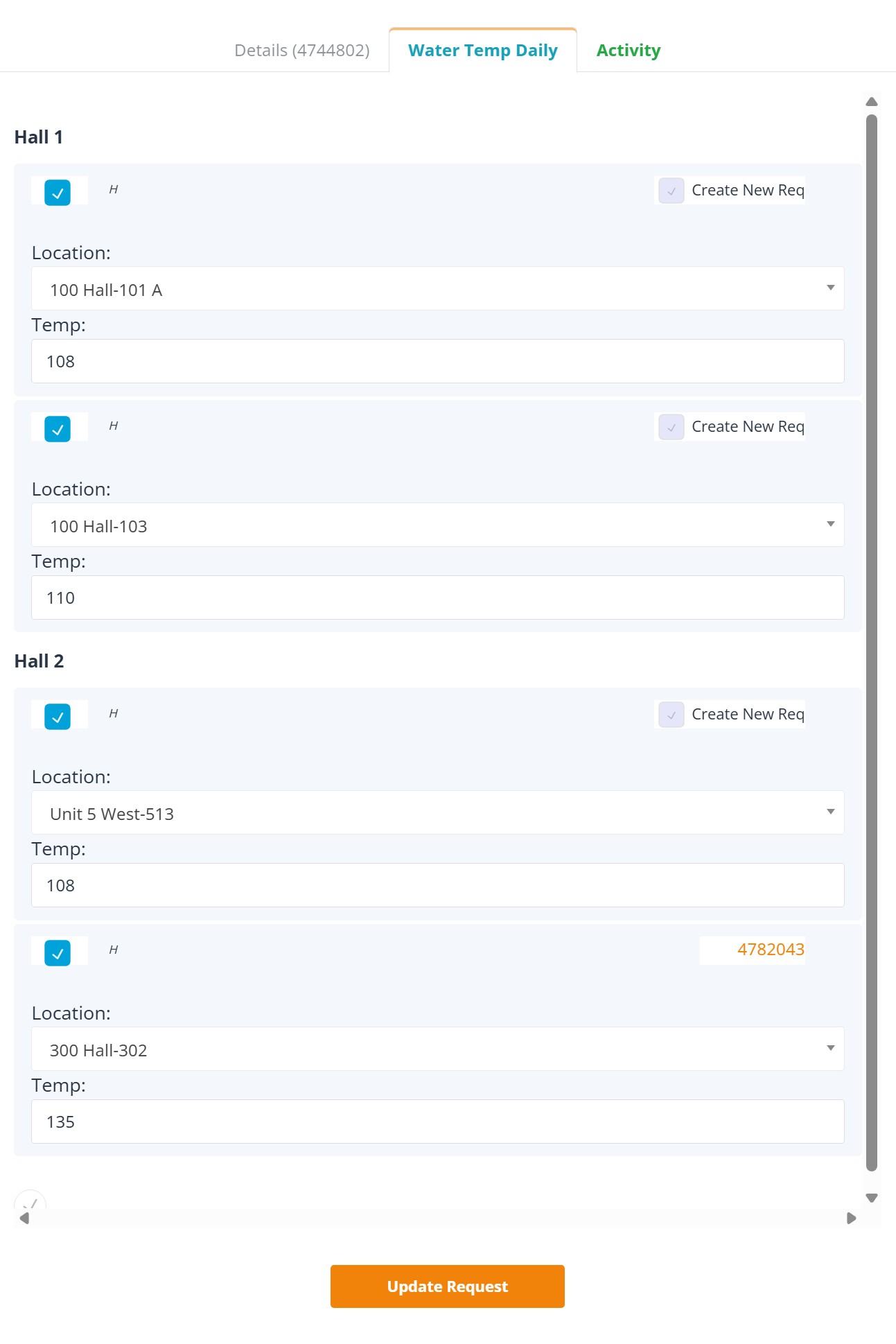
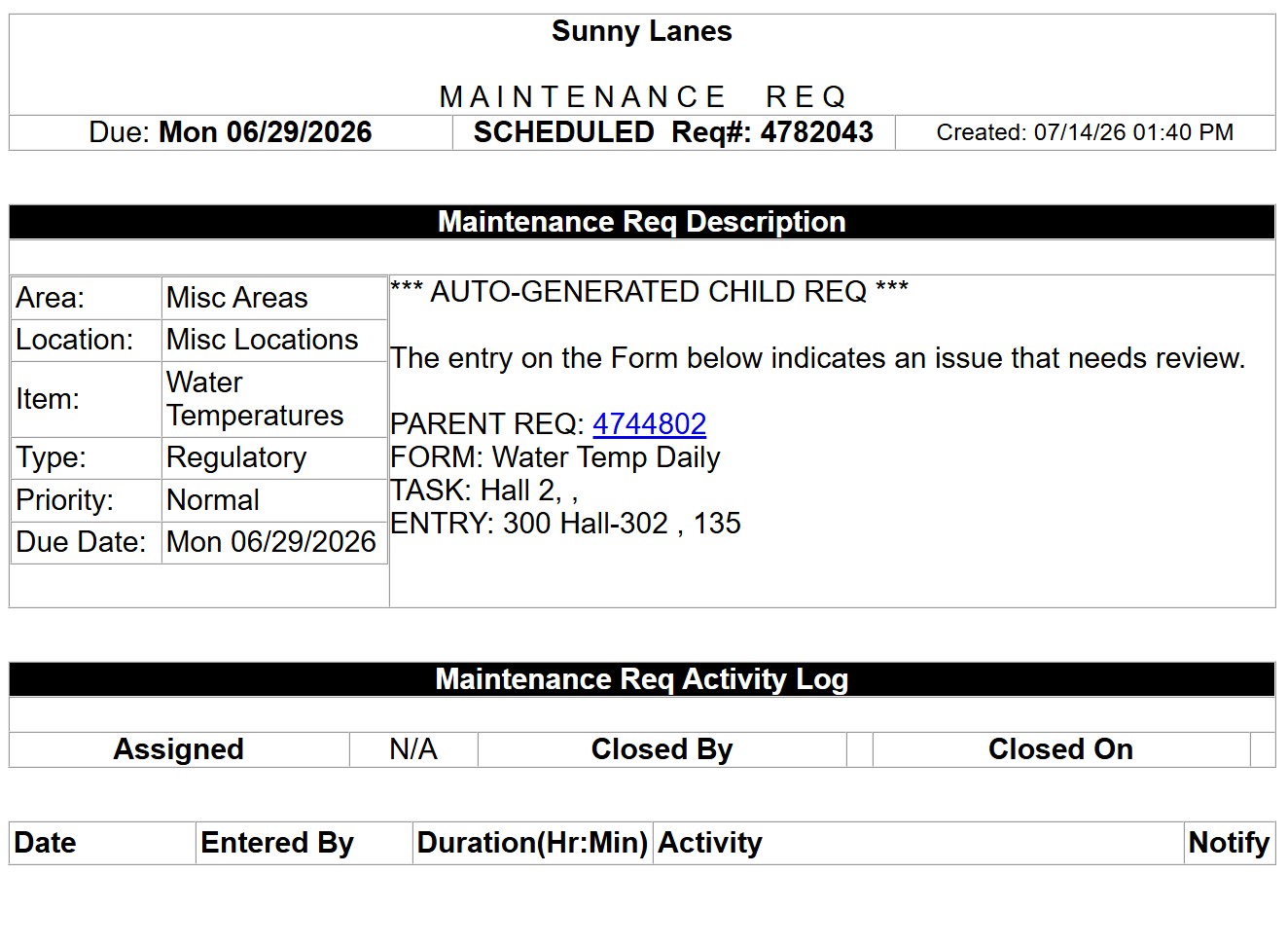
REQQER keeps the inspection, structured form response, originating Req, and corrective work connected. When a configured response identifies a problem, a separately trackable corrective child Req can carry the issue forward to resolution.
The inspection can be completed while the corrective child Req remains Open, so documenting the inspection does not make the identified problem disappear.
One connected workflow
The parent Req proves the inspection occurred and preserves its responses. The corrective child Req tracks the separate responsibility created by the finding.
Why the separation matters
The inspection record can be finished when the inspection itself is complete.
The corrective child Req can remain Open until the separate repair, replacement, or other action is resolved.
The child remains linked to the form response and originating Req that identified the issue.
Management can see the original inspection and the corrective work without reconstructing their relationship later.
Structured electronic forms
Forms can include required responses, readings, text, dates, dropdowns, acknowledgements, and other configured fields. The point is to capture usable operational information while the person is performing the work.
Corrective follow-up
The corrective child Req can include context from the question and response that triggered it, making the follow-up easier to understand and reducing the chance that the corrective work becomes an unexplained standalone request.
Capabilities behind the solution
Follow one finding end to end
A demonstration can show the form response, parent Req, corrective child Req, assignment, Activity, documents, and management review as one connected sequence.