
Missing entries are easy to overlook
A paper page may exist even when one date, reading, acknowledgement, or signature is blank.
Replacing paper logs & forms
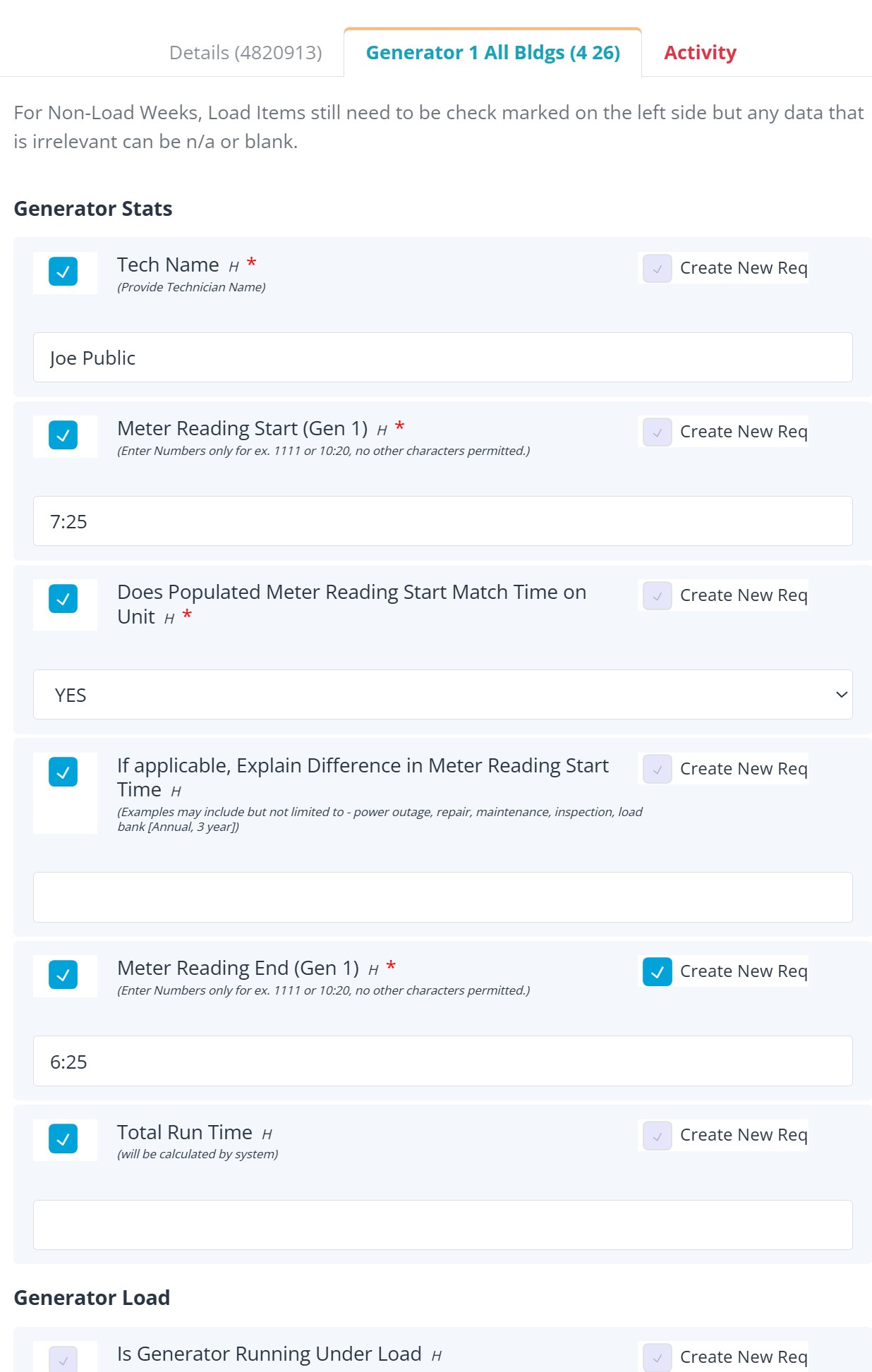
REQQER electronic forms collect structured information while the work is performed. Task Logs can reorganize recurring responses into a familiar running-log format, while corrective work and supporting documentation remain connected to the source Req.
The goal is not simply to replace paper with a screen. It is to make the information easier to complete, review, follow up, and reuse.
Why paper breaks down
A paper page may exist even when one date, reading, acknowledgement, or signature is blank.
A failed inspection item can be written down without creating a separate responsibility that someone owns.
Reviewing a month or quarter can mean paging through individual forms instead of seeing a running operational view.
Staff may have to locate forms, reports, sign-in sheets, and vendor documents before they can present the record.
A better transition
Electronic forms
Instead of filling out a separate paper inspection after the Req is complete, an electronic form can be attached directly to the Scheduled Task or launched for a one-time form workflow.
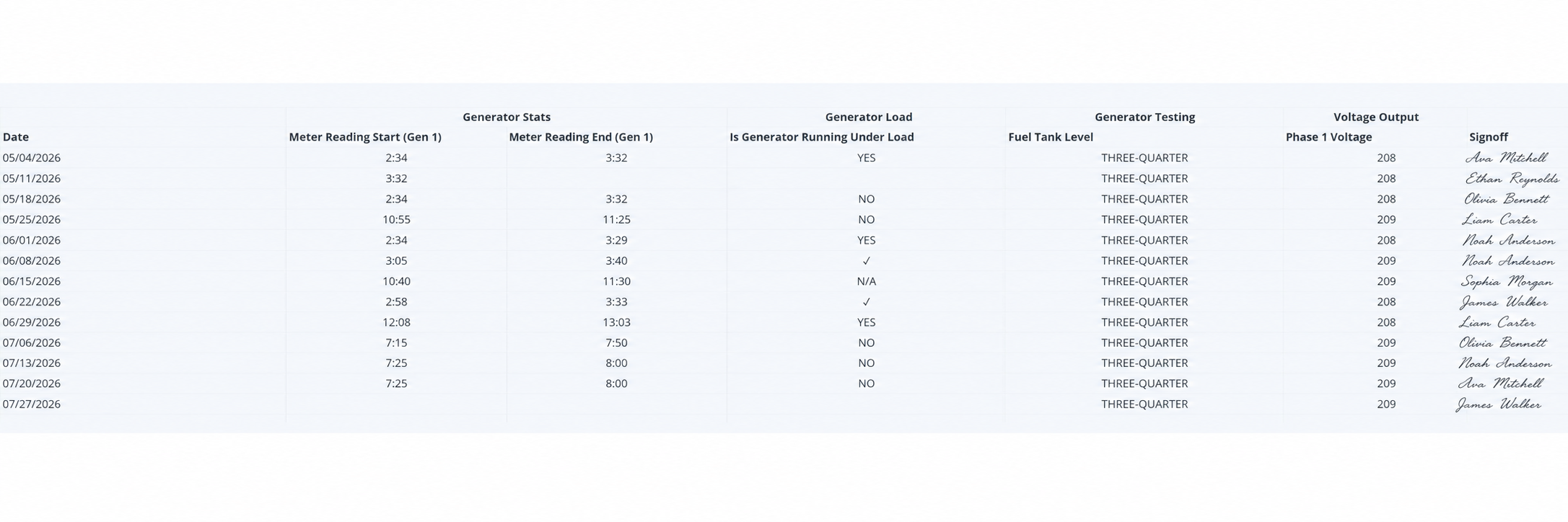
The public Task Log example uses anonymized signoff names while preserving the handwritten-signoff appearance.
Task Logs
Task Logs arrange selected electronic-form responses by date with response items across the columns. The result resembles the running paper logs many facilities already understand, but blank and partial entries remain visible rather than being buried in separate forms.
From logs to evidence
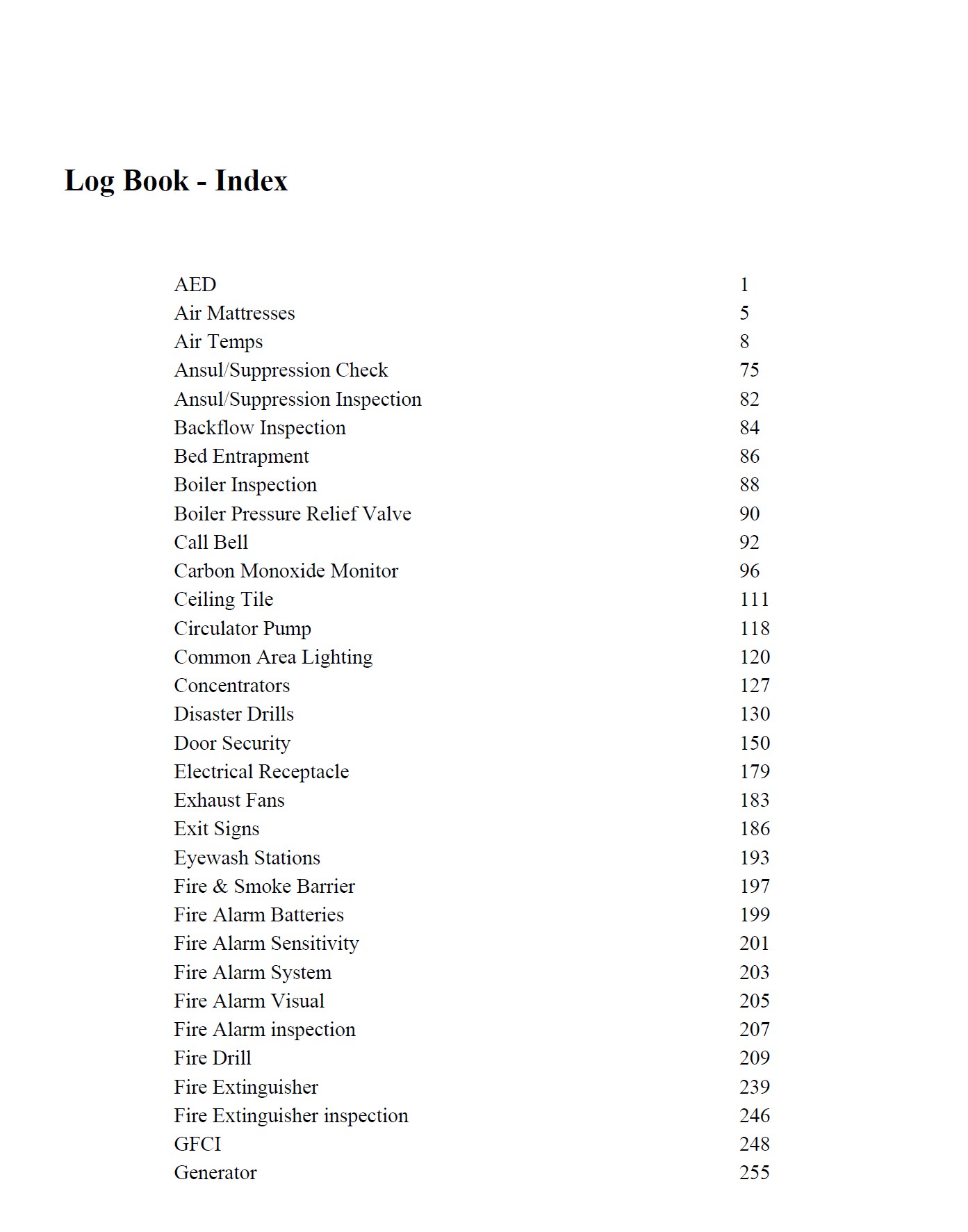
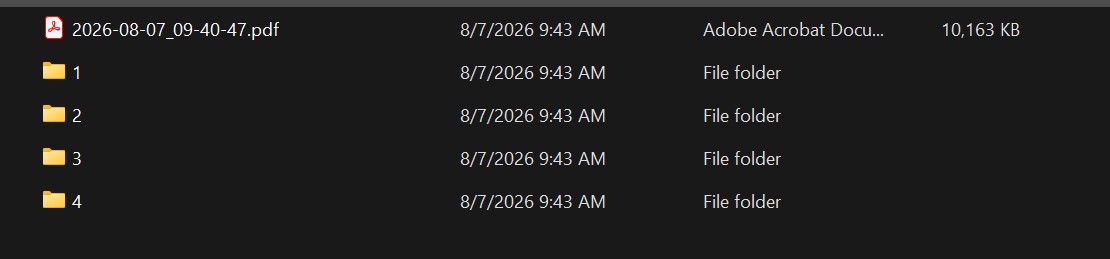
For selected recurring work, REQQER can combine its own Req records, forms, and supporting documents into an indexed Log Book package. That turns the same operating record into something easier to review when documentation is requested.

Capabilities behind the solution
Bring one paper process
A demonstration can begin with one current paper form, identify the responses you need to capture, and show how those answers can support Task Logs, corrective action, and documentation review.